Skip to Content

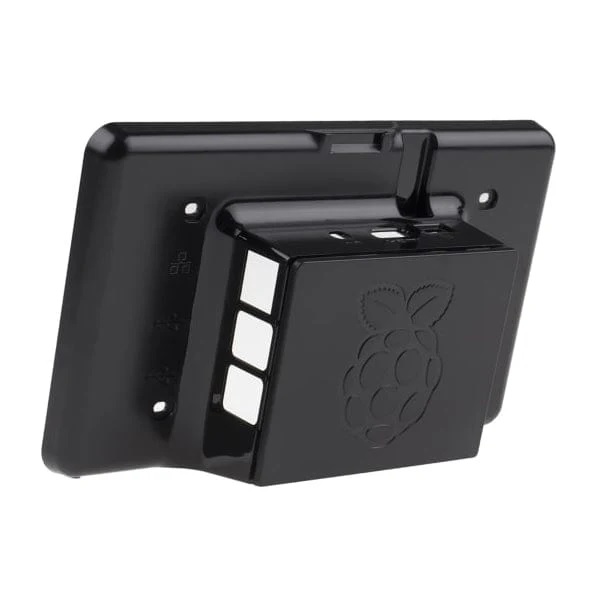
Raspberry Pi RPi3 7 inch Touchscreen Display Case Enclosure Black

This premium black enclosure is specifically designed to house a 7" Raspberry Pi Touchscreen together with Raspberry Pi models B+, 2B, 3B, and 3B+. With a clean, modern design and practical functionality, it provides reliable protection while maintaining full accessibility to all essential ports and features. The integrated structure enhances portability, making it an ideal solution for both stationary setups and mobile projects.

Package Includes:

  • 1 x Premium Black Case for 7" Raspberry Pi Touchscreen
  • 4 x Fixing Screws
RPi Touchscreen
61.95 AED 61.95 AED (Tax included)

Terms and Conditions
30-day money-back guarantee
Shipping: 2-3 Business Days


Features:

  • Durable Construction: Made from high-quality ABS plastic for long-lasting protection.
  • Full Port Access: Precision cut-outs for USB, HDMI, composite, power, and other connections.
  • Secure Design: Hidden MicroSD card slot for added safety and protection.
  • Enhanced Portability: Fully enclosed design keeps both the touchscreen and Raspberry Pi secure.
  • Camera Support: Built-in slot for attaching a Raspberry Pi Camera module.
  • Wall Mountable: Designed with wall mounting capability for flexible installation.
  • Easy Assembly: Includes fixing screws to securely mount the touchscreen.
  • Convenient Access: Rear cover can be easily clipped off for quick Raspberry Pi access.

Specifications:

  • Model: Raspberry Pi Case
  • Color: Black
  • Material: ABS Plastic
  • Dimensions:
    • Length: 197 mm
    • Width: 116 mm
    • Height: 47 mm
  • Compatibility:
    • Raspberry Pi B+, 2B, 3B, 3B+
    • Official 7" Raspberry Pi Touchscreen Display

Notes:

  • Raspberry Pi board and touchscreen display are not included.
  • Screen orientation may require configuration adjustment.
  • Some system updates may affect display output or touch calibration, which can be corrected via configuration settings.

How to Use:

  1. Mount the Raspberry Pi and touchscreen securely inside the case.
  2. Use the included screws to fix the touchscreen in place.
  3. Connect required cables through the designated cut-outs.
  4. Optionally mount the case on a wall using the mounting slots.
  5. Remove the rear cover when access to the Raspberry Pi is needed.