- All products
- Development Boards
- Arduino
- Shields
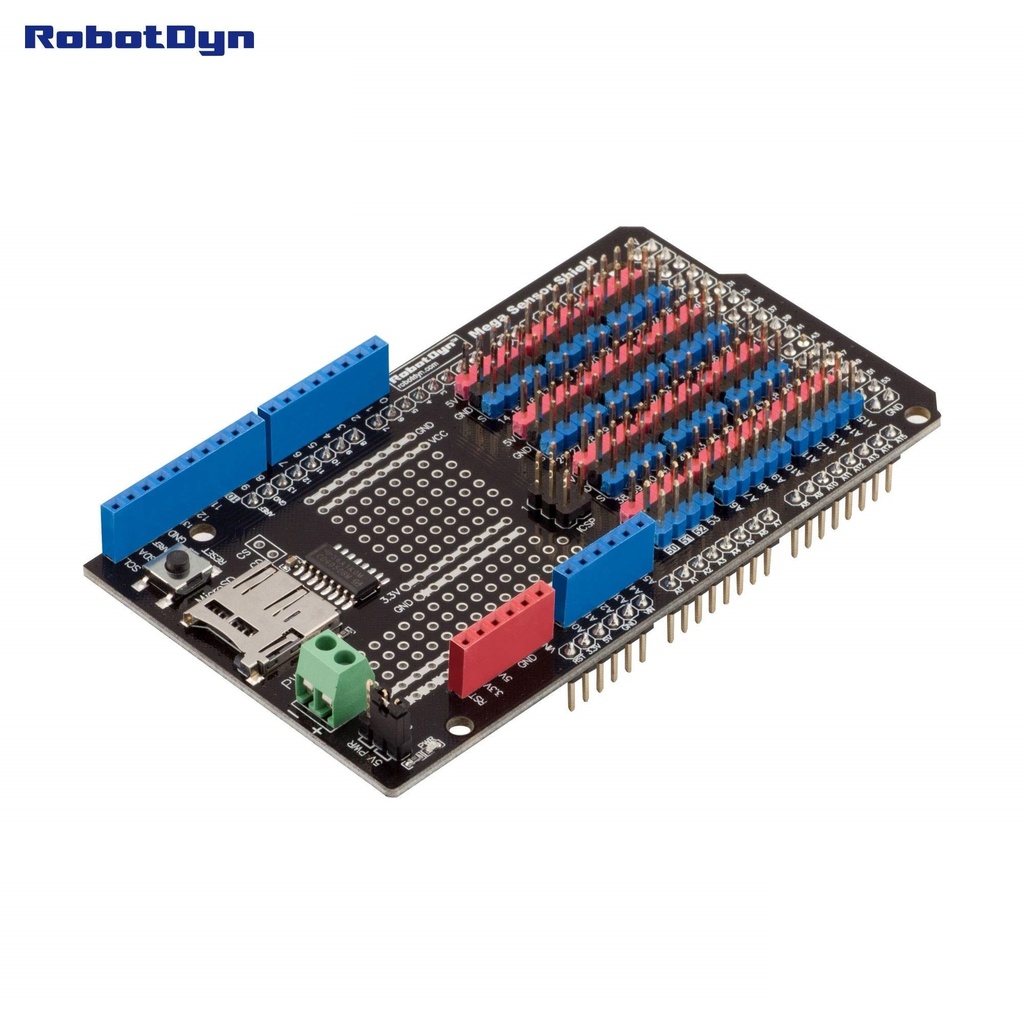
- Expansion Sensor Shield With SD Card Logger For Arduino Mega 2560 RobotDYN
- Shields
Features
- Designed specifically for Arduino Mega boards
- Integrated Micro SD card reader and writer
- Supports FAT16 and FAT32 formatted SD cards
- Extra soldering area for custom prototyping
- Easy connection of sensors, relays, servos, and other modules
- Flexible chip select and card detect pin configuration
- Supports external power or Arduino 5V power supply
Micro SD Card Function
The onboard SD card interface allows reading and writing data to standard Micro SD cards. The card must be formatted using FAT16 or FAT32 file systems. The chip select and card detect pins can be connected to any available Arduino Mega input or output pin using jumper wires.
Pinout Overview
- 5V Arduino 5V power supply
- GND Common ground
- Digital pins Available through shield headers
- Analog pins Available through shield headers
- CS SD card chip select configurable via jumper wire
- CD SD card detect configurable via jumper wire
Applications
- Data logging projects
- Sensor monitoring systems
- Robotics control platforms
- Educational Arduino experiments
- Rapid prototyping and testing
Arduino Test Code
#include <SPI.h>
#include <SD.h>
const int chipSelect = 4;
void setup() {
Serial.begin(9600);
if (!SD.begin(chipSelect)) {
Serial.println("SD card initialization failed");
return;
}
Serial.println("SD card ready");
File dataFile = SD.open("datalog.txt", FILE_WRITE);
if (dataFile) {
dataFile.println("Sensor Shield Data Logger Test");
dataFile.println("Logging successful");
dataFile.close();
Serial.println("Data written to SD card");
} else {
Serial.println("Error opening datalog.txt");
}
}
void loop() {
}
Technical Details
- Compatible board Arduino Mega
- Storage Micro SD card
- File system FAT16 and FAT32
- Power supply 5V from Arduino or external source
- Onboard soldering area for custom circuits
Features
- Designed specifically for Arduino Mega boards
- Integrated Micro SD card reader and writer
- Supports FAT16 and FAT32 formatted SD cards
- Extra soldering area for custom prototyping
- Easy connection of sensors, relays, servos, and other modules
- Flexible chip select and card detect pin configuration
- Supports external power or Arduino 5V power supply
Micro SD Card Function
The onboard SD card interface allows reading and writing data to standard Micro SD cards. The card must be formatted using FAT16 or FAT32 file systems. The chip select and card detect pins can be connected to any available Arduino Mega input or output pin using jumper wires.
Pinout Overview
- 5V Arduino 5V power supply
- GND Common ground
- Digital pins Available through shield headers
- Analog pins Available through shield headers
- CS SD card chip select configurable via jumper wire
- CD SD card detect configurable via jumper wire
Applications
- Data logging projects
- Sensor monitoring systems
- Robotics control platforms
- Educational Arduino experiments
- Rapid prototyping and testing
Arduino Test Code
#include <SPI.h>
#include <SD.h>
const int chipSelect = 4;
void setup() {
Serial.begin(9600);
if (!SD.begin(chipSelect)) {
Serial.println("SD card initialization failed");
return;
}
Serial.println("SD card ready");
File dataFile = SD.open("datalog.txt", FILE_WRITE);
if (dataFile) {
dataFile.println("Sensor Shield Data Logger Test");
dataFile.println("Logging successful");
dataFile.close();
Serial.println("Data written to SD card");
} else {
Serial.println("Error opening datalog.txt");
}
}
void loop() {
}
Technical Details
- Compatible board Arduino Mega
- Storage Micro SD card
- File system FAT16 and FAT32
- Power supply 5V from Arduino or external source
- Onboard soldering area for custom circuits