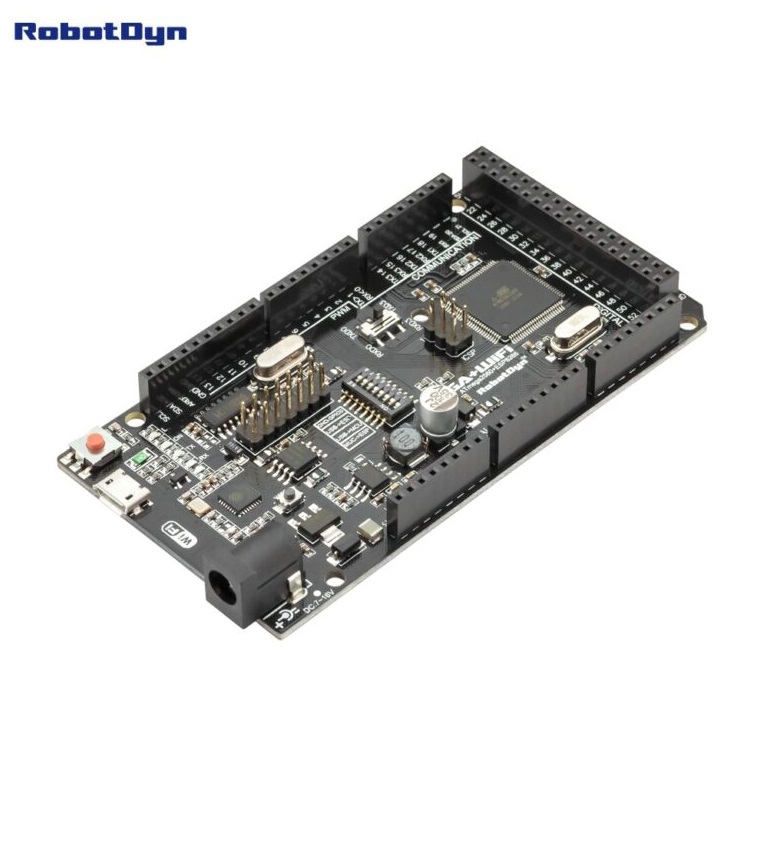
Features
- ATmega2560 and ESP8266 fully integrated on one board
- ESP8266 with 32 Mbit flash memory
- Onboard USB to serial converter CH340G
- USB programming for both ATmega2560 and ESP8266
- DIP switch system for flexible serial routing
- Multiple hardware serial ports on ATmega2560
- High number of digital and analog I O pins
- Single power input supplies both processors
Technical Details
- Main microcontroller ATmega2560
- WiFi module ESP8266 with 32 Mbit flash
- USB to serial converter CH340G
- Operating voltage 7 to 12 volts
- Logic level 3.3 volts
- Clock frequency 16 MHz
Power and Clock
- Input voltage 7 to 12 volts
- ESP8266 powered internally at 3.3 volts
- ATmega2560 operating frequency 16 MHz
DIP Switch Configuration
| Connection Mode |
Switch Settings |
| ATmega2560 to ESP8266 |
1 ON, 2 ON, others OFF |
| USB to ATmega2560 |
3 ON, 4 ON |
| USB to ESP8266 programming |
5 ON, 6 ON, 7 ON |
| USB to ESP8266 communication |
5 ON, 6 ON |
| All modules independent |
All switches OFF |
Pinout Overview
- ATmega2560 digital pins D0 to D53
- Analog inputs A0 to A15
- Multiple hardware serial ports RX0 TX0 to RX3 TX3
- ESP8266 connected through selectable serial interface
- VIN, 5V, 3V3, and GND power pins
Applications
- IoT gateways and controllers
- WiFi enabled automation systems
- Complex sensor networks
- Educational and prototyping projects
- Serial communication testing platforms
Arduino Test Code
Set DIP switches 1, 2, 3, and 4 to ON and switches 5, 6, 7, and 8 to OFF to program the ATmega2560. Select Serial3 for ESP8266 connection.
void setup() {
  pinMode(LED_BUILTIN, OUTPUT);
}

void loop() {
  digitalWrite(LED_BUILTIN, HIGH);
  delay(1000);
  digitalWrite(LED_BUILTIN, LOW);
  delay(1000);
}
Features
- ATmega2560 and ESP8266 fully integrated on one board
- ESP8266 with 32 Mbit flash memory
- Onboard USB to serial converter CH340G
- USB programming for both ATmega2560 and ESP8266
- DIP switch system for flexible serial routing
- Multiple hardware serial ports on ATmega2560
- High number of digital and analog I O pins
- Single power input supplies both processors
Technical Details
- Main microcontroller ATmega2560
- WiFi module ESP8266 with 32 Mbit flash
- USB to serial converter CH340G
- Operating voltage 7 to 12 volts
- Logic level 3.3 volts
- Clock frequency 16 MHz
Power and Clock
- Input voltage 7 to 12 volts
- ESP8266 powered internally at 3.3 volts
- ATmega2560 operating frequency 16 MHz
DIP Switch Configuration
| Connection Mode |
Switch Settings |
| ATmega2560 to ESP8266 |
1 ON, 2 ON, others OFF |
| USB to ATmega2560 |
3 ON, 4 ON |
| USB to ESP8266 programming |
5 ON, 6 ON, 7 ON |
| USB to ESP8266 communication |
5 ON, 6 ON |
| All modules independent |
All switches OFF |
Pinout Overview
- ATmega2560 digital pins D0 to D53
- Analog inputs A0 to A15
- Multiple hardware serial ports RX0 TX0 to RX3 TX3
- ESP8266 connected through selectable serial interface
- VIN, 5V, 3V3, and GND power pins
Applications
- IoT gateways and controllers
- WiFi enabled automation systems
- Complex sensor networks
- Educational and prototyping projects
- Serial communication testing platforms
Arduino Test Code
Set DIP switches 1, 2, 3, and 4 to ON and switches 5, 6, 7, and 8 to OFF to program the ATmega2560. Select Serial3 for ESP8266 connection.
void setup() {
  pinMode(LED_BUILTIN, OUTPUT);
}

void loop() {
  digitalWrite(LED_BUILTIN, HIGH);
  delay(1000);
  digitalWrite(LED_BUILTIN, LOW);
  delay(1000);
}