Skip to Content

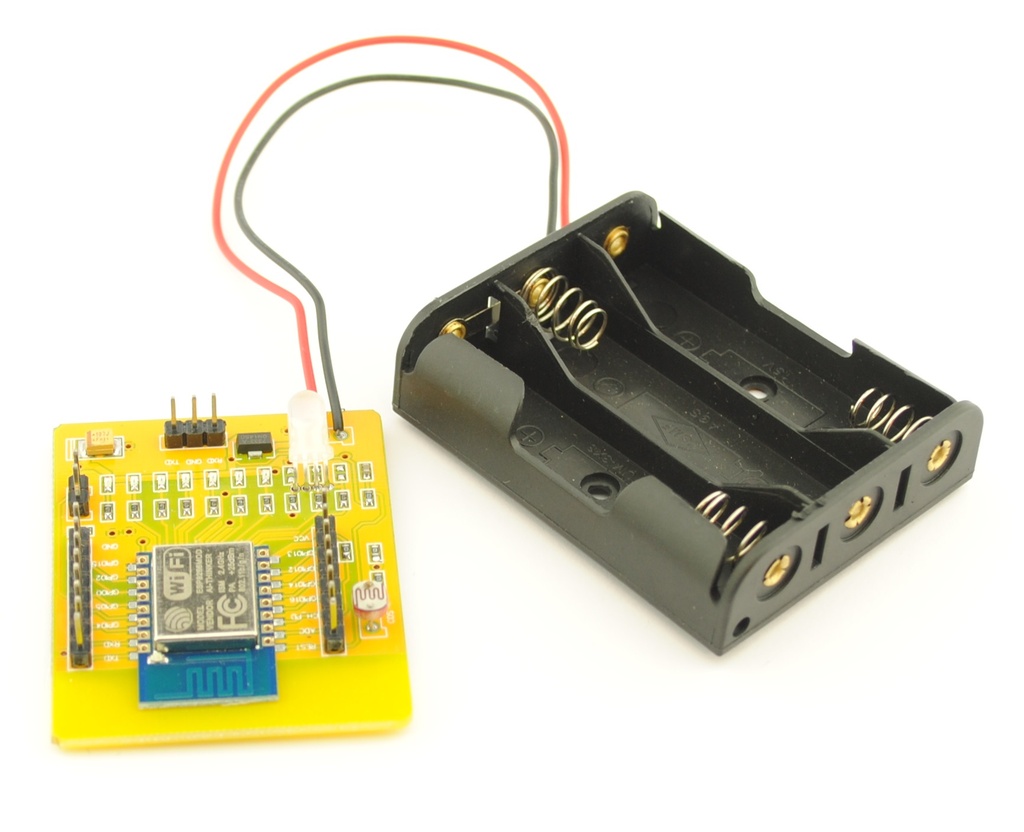
ESP8266 WIFI Development Kit Board + Battery Holder

The ESP8266 Test Board is a simple and practical platform designed to make working with the ESP8266 ESP12 module easier. It allows fast connection and disconnection of pins using headers, making it ideal for testing and development of IoT projects. This board enables quick testing of GPIO PWM ADC and UART functions without soldering. All pin names are clearly printed on the PCB to help users identify connections easily during setup and experimentation.

Package Includes

  • 1 x ESP8266 12 WiFi evaluation board
  • 1 x AA battery holder

ESP8266 Board with Battery Holder
29.95 AED 29.95 AED (Tax included)

Terms and Conditions
30-day money-back guarantee
Shipping: 2-3 Business Days


Features

  • Male headers for easy connection and removal of ESP12 pins
  • Clear pin name labels printed on the PCB
  • Supports testing of GPIO PWM ADC and UART
  • TXD and RXD pins available on bottom three pin header
  • Built in voltage regulator for flexible power options

Power Supply

  • Supports 3.3V or 5V input
  • Uses a 7333 1 voltage regulator near the three pin header
  • Suitable for quick experiments and bench testing

PC Connection

For connecting the board to a PC using a USB to Serial adapter use the following method.

  • Connect TXD of USB to Serial to TXD on the test board
  • Connect RXD of USB to Serial to RXD on the test board
  • Ensure correct alignment since TXD and RXD labels may appear inverted

Programming ESP8266 Using Arduino IDE

1. Install ESP8266 Board Support

  1. Open File → Preferences
  2. Add the following URL to Additional Boards Manager URLs:
https://arduino.esp8266.com/stable/package_esp8266com_index.json
  1. Go to Tools → Board → Boards Manager
  2. Search for ESP8266
  3. Install ESP8266 by ESP8266 Community

2. Select Board and Settings

  • Board: NodeMCU 1.0 or Generic ESP8266 Module
  • CPU Frequency: 80 MHz
  • Flash Size: 4MB (as supported)
  • Upload Speed: 115200

3. Enter Flash Mode

  • For bare ESP8266 modules: connect GPIO0 to GND
  • Reset or power-cycle the board
  • NodeMCU boards handle this automatically

4. Upload Code

  • Select the correct COM Port from Tools → Port
  • Click Upload

5. Test Sketch

void setup() {
  Serial.begin(115200);
  Serial.println("ESP8266 Arduino IDE is working");
}

void loop() {
}

6. Run the Program

  • Disconnect power
  • Remove GPIO0 from GND
  • Reconnect power to run the sketch
  • Open Serial Monitor at 115200 baud

Applications

  • ESP8266 module testing
  • IoT development and learning
  • Rapid prototyping
  • Educational projects