Skip to Content

ESP32 NodeMCU WiFi and Bluetooth Module (Type-C)

The ESP32 NodeMcu (Type-C) is a versatile, low-cost WiFi and Bluetooth-enabled development board based on the ESP32 microcontroller. It features dual-core processing, 4MB flash memory, and a wide range of connectivity options, including WiFi, Bluetooth, and several serial communication protocols. The board can be programmed using the Arduino IDE or with other programming languages like MicroPython or Lua. It's popular for projects that require wireless connectivity and low power consumption, such as IoT devices, home automation, and robotics.

Package Includes:

  • 1 × ESP32 NodeMcu Board (USB Type-C connector, CH340 USB-to-serial)
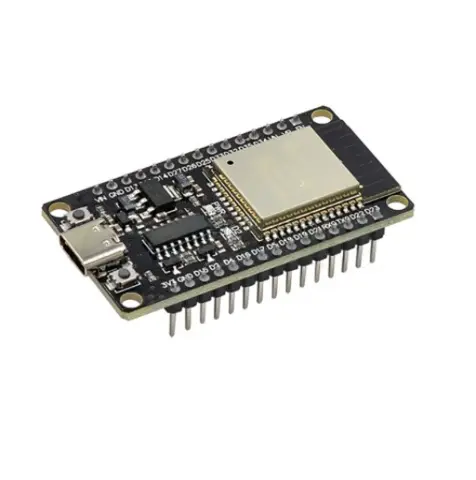
 

ESP32 NodeMCU Module
42.00 AED 42.00 AED (Tax included)

Terms and Conditions
30-day money-back guarantee
Shipping: 2-3 Business Days

Features:

  • Dual-core 32-bit microcontroller based on the Xtensa LX6 architecture
  • Integrated 802.11 b/g/n WiFi and Bluetooth 4.2 BLE connectivity
  • 4MB flash memory for program storage
  • Support for UART, I2C, SPI, and SDIO
  • CH340 USB-to-serial converter with USB Type-C connector
  • 12-bit ADC for analog input
  • PWM output and touch sensor support
  • Compatible with Arduino IDE, MicroPython, and Lua
  • Low power consumption with multiple sleep modes
  • Compact and cost-effective for IoT projects

Principle of Work:

The ESP32 board integrates processing, wireless communication, and peripheral control on a single platform. When powered, the bootloader loads the user program from flash memory. The firmware manages GPIOs, sensors, communication protocols, and wireless connectivity according to the uploaded sketch.

Pinout of the Module:

  • 3.3V: Regulated power output
  • VIN: External power input
  • GND: Ground reference
  • GPIO: Configurable digital and analog pins
  • TX/RX: Serial communication
  • EN: Chip enable and reset control

Arduino IDE Installation & Setup for ESP32

1. Install Arduino IDE

  • Download the latest Arduino IDE from the official Arduino website
  • Install it for your operating system (Windows, macOS, or Linux)
  • Launch Arduino IDE after installation

2. Add ESP32 Board Manager URL

  • Open File → Preferences
  • In Additional Boards Manager URLs, add:
https://raw.githubusercontent.com/espressif/arduino-esp32/gh-pages/package_esp32_index.json
  • Click OK to save

3. Install ESP32 Board Package

  • Go to Tools → Board → Boards Manager
  • Search for ESP32
  • Install esp32 by Espressif Systems
  • Wait until installation completes

4. Select Board and Port

  • Go to Tools → Board
  • Select your ESP32 board (e.g. ESP32 Dev Module)
  • Go to Tools → Port and select the correct COM port

5. Required Drivers

  • Install the CH340 USB-to-Serial driver if the board is not detected
  • After driver installation, reconnect the board

6. Upload a Test Sketch

void setup() {
  Serial.begin(115200);
  Serial.println("ESP32 Arduino IDE setup successful");
}

void loop() {
}
  • Click Upload to flash the code
  • Some boards may require holding the BOOT button during upload

7. Run and Monitor

  • Open Serial Monitor
  • Set baud rate to 115200
  • Confirm the message appears correctly