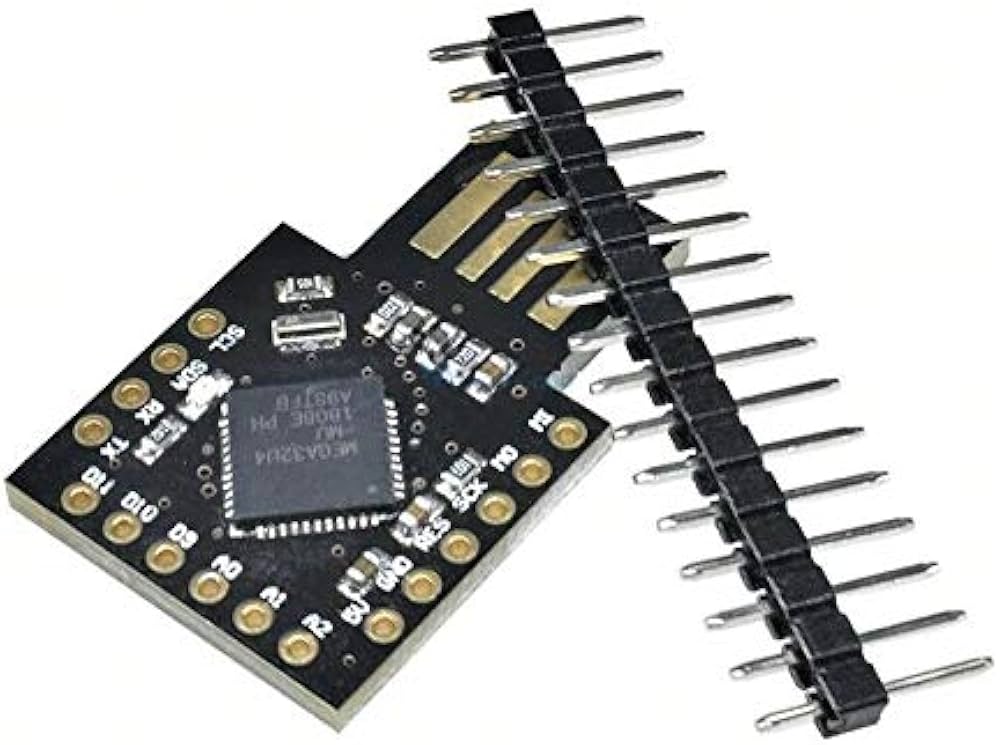
Features
- USB keyboard emulation with WiFi control
- Supports remote command execution via network
- Educational use for learning USB HID and microcontroller programming
- Safe testing environment for security awareness
WiFi Functionality
With WiFi enabled, the module can receive commands over a wireless network and translate them into keyboard actions. This demonstrates how USB HID devices can interact with host systems over a network.
Getting Started
Before using WiFi Ducky firmware, an initial Arduino sketch must be uploaded to the board. This prepares the module for bootloader flashing and firmware installation.
Initial Firmware Upload
Upload the first sketch from the following link:
step1.ino
Bootloader Flashing
After uploading the initial sketch, flash the bootloader to prepare the board for the main WiFi Ducky firmware.
NodeMCU Flasher
Download the NodeMCU flasher for your Windows system. After wiring the board, run the appropriate executable to flash the firmware:
Firmware File
The WiFi Ducky binary firmware is available here:
WiFi Ducky Firmware
Final Arduino Sketch
After flashing the firmware, remove the shunt, reconnect the device, and upload the final Arduino sketch:
arduino_wifi_duck.ino
Features
- USB keyboard emulation with WiFi control
- Supports remote command execution via network
- Educational use for learning USB HID and microcontroller programming
- Safe testing environment for security awareness
WiFi Functionality
With WiFi enabled, the module can receive commands over a wireless network and translate them into keyboard actions. This demonstrates how USB HID devices can interact with host systems over a network.
Getting Started
Before using WiFi Ducky firmware, an initial Arduino sketch must be uploaded to the board. This prepares the module for bootloader flashing and firmware installation.
Initial Firmware Upload
Upload the first sketch from the following link:
step1.ino
Bootloader Flashing
After uploading the initial sketch, flash the bootloader to prepare the board for the main WiFi Ducky firmware.
NodeMCU Flasher
Download the NodeMCU flasher for your Windows system. After wiring the board, run the appropriate executable to flash the firmware:
Firmware File
The WiFi Ducky binary firmware is available here:
WiFi Ducky Firmware
Final Arduino Sketch
After flashing the firmware, remove the shunt, reconnect the device, and upload the final Arduino sketch:
arduino_wifi_duck.ino