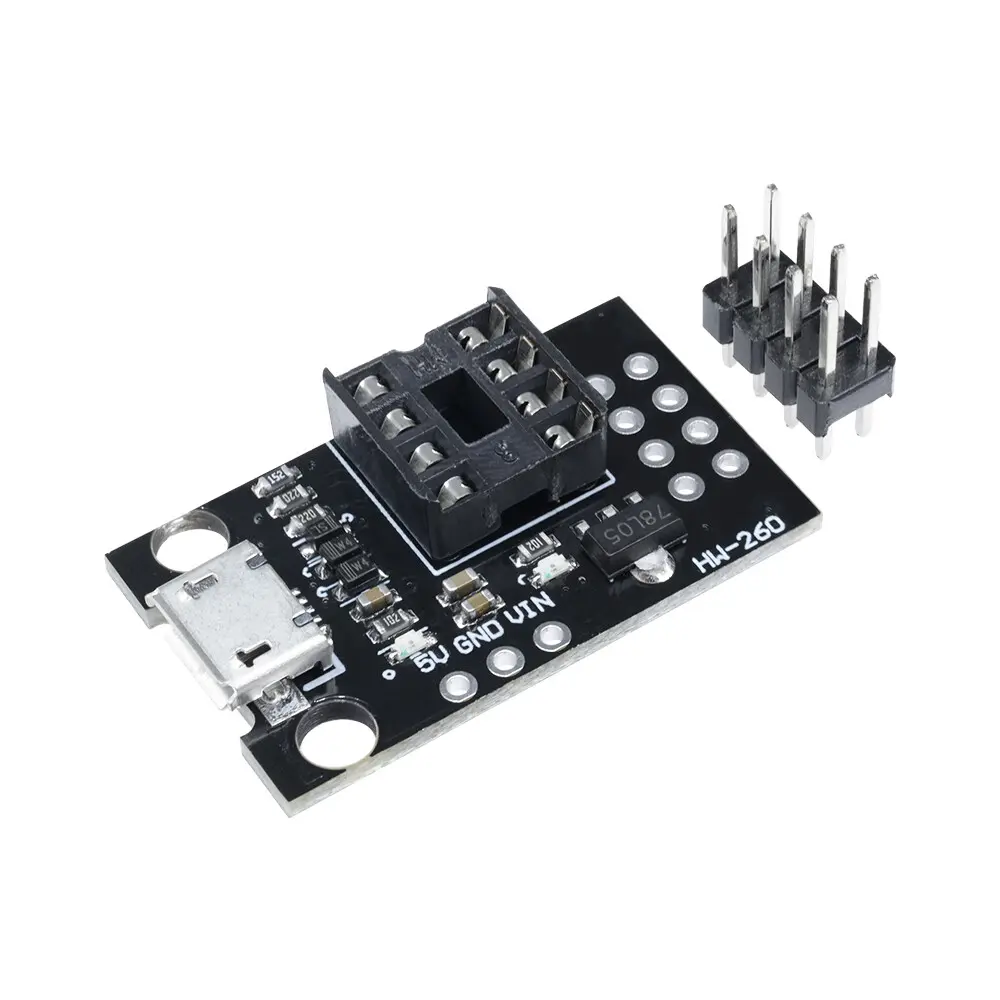
Features
- Micro USB power connector for easy power supply
- Pluggable breakout design for ATtiny microcontrollers
- Compact size suitable for breadboards and small projects
- Supports Digispark bootloader
- USB powered operation
- Clear pin access for rapid prototyping
- Ideal for learning and development
Specifications
- Board Type: USB powered ATtiny breakout
- USB Connector: Micro USB
- Supported Chips: ATtiny13A ATtiny25 ATtiny45 ATtiny85
- Programming Interface: ISP and USB bootloader
Supported Microcontrollers
- ATtiny13A
- ATtiny25
- ATtiny45
- ATtiny85
Programming Options
- Programming via external AVR programmer
- Programming using Arduino UNO as ISP
- USB sketch upload when Digispark bootloader is installed
- Compatible with Arduino IDE
Pinout

- VCC: Power supplied from USB
- GND: Ground reference
- GPIO Pins: Broken out ATtiny I O pins for easy access
- Programming Pins: ISP compatible connections via header
Applications
- ATtiny development and testing
- Learning AVR microcontroller programming
- USB powered embedded projects
- Low cost prototyping platforms
- Educational electronics projects
Getting Started
- Use an Arduino UNO as an ISP to program the ATtiny
- Install Digispark bootloader for USB programming
- Upload sketches using the Arduino IDE
- Power the board directly via Micro USB
Features
- Micro USB power connector for easy power supply
- Pluggable breakout design for ATtiny microcontrollers
- Compact size suitable for breadboards and small projects
- Supports Digispark bootloader
- USB powered operation
- Clear pin access for rapid prototyping
- Ideal for learning and development
Specifications
- Board Type: USB powered ATtiny breakout
- USB Connector: Micro USB
- Supported Chips: ATtiny13A ATtiny25 ATtiny45 ATtiny85
- Programming Interface: ISP and USB bootloader
Supported Microcontrollers
- ATtiny13A
- ATtiny25
- ATtiny45
- ATtiny85
Programming Options
- Programming via external AVR programmer
- Programming using Arduino UNO as ISP
- USB sketch upload when Digispark bootloader is installed
- Compatible with Arduino IDE
Pinout
- VCC: Power supplied from USB
- GND: Ground reference
- GPIO Pins: Broken out ATtiny I O pins for easy access
- Programming Pins: ISP compatible connections via header
Applications
- ATtiny development and testing
- Learning AVR microcontroller programming
- USB powered embedded projects
- Low cost prototyping platforms
- Educational electronics projects
Getting Started
- Use an Arduino UNO as an ISP to program the ATtiny
- Install Digispark bootloader for USB programming
- Upload sketches using the Arduino IDE
- Power the board directly via Micro USB