Features
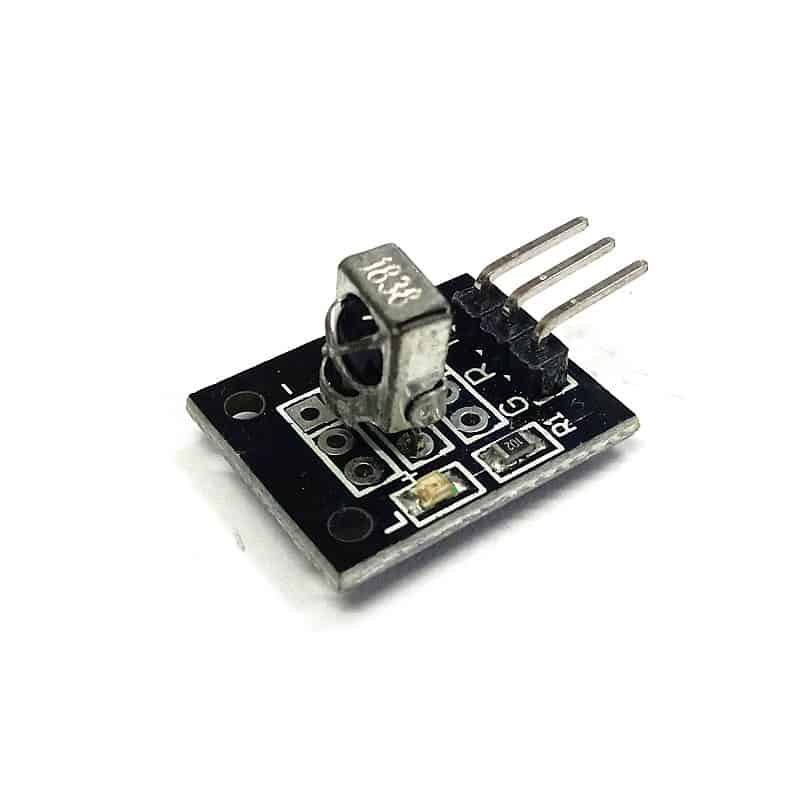
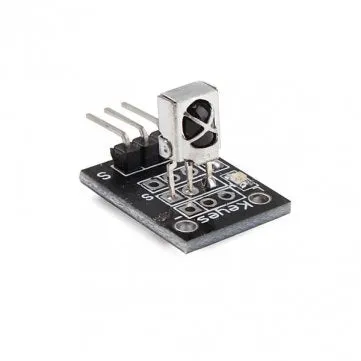
- Infrared Receiving Head: Uses the VS1838B IR receiver chip for reliable performance.
- Light Resistance: Operates under ambient light up to 500 lux.
- EMI Resistance: Strong resistance to electromagnetic interference.
- Built-in IR Dedicated IC: Enhances sensitivity and accuracy.
- Low Power Consumption: Ideal for battery-powered devices.
- Versatile: Can read most IR remote commands and detect object movement up to 0.5–3 meters.
- Unique Signal: Each sensor produces a unique signal, preventing interference in multi-robot setups.
Specifications
- Operating Voltage: 2.7–5.5V
- Operating Current: 0.4–1.5mA
- Reception Distance: 18m
- Reception Angle: ±45°
- Carrier Frequency: 38kHz
- Low Level Voltage: 0.4V
- High Level Voltage: 4.5V
- Ambient Light Filter: Up to 500 lux
- Dimensions: 6.4 x 7.4 x 5.1 mm (L x W x H)
Applications
- Remote Control Systems: Control TVs, audio systems, air conditioners, etc.
- Robotics: Detect object movement for obstacle detection and autonomous navigation.
- Home Automation: Control lights, fans, and appliances via IR remote.
- Security Systems: Detect intruders and trigger alarms.
- Industrial Automation: Material handling, conveyor systems, and machine control.
- Entertainment Systems: Remote control for TVs, DVD players, and gaming consoles.
Pin Connections
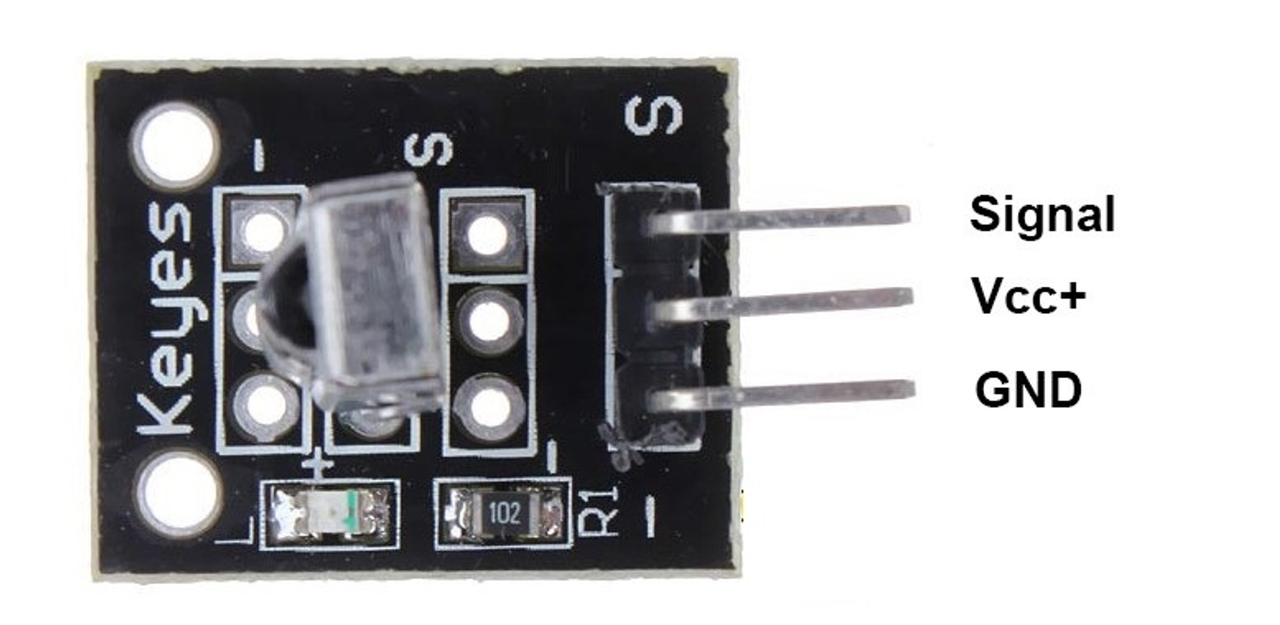
| Pin | Description | Arduino Connection Example |
|---|---|---|
| Signal | Signal | Digital Pin (e.g., D2) |
| VCC | Power Supply | 5V |
| GND | Ground | GND |
How to Work With KY-022
The KY-022 receives infrared signals from most remote controls. Using the IRremote Arduino library, it can decode the signals and allow you to trigger actions like turning on LEDs, controlling motors, or operating robots. Make sure the IR remote and sensor are within ±45° for reliable detection.
Arduino Libraries
- IRremote: Install via Arduino IDE Library Manager (Search: IRremote)
Arduino Example Code
#include <IRremote.h>

const int RECV_PIN = 2;  // KY-022 signal pin
IRrecv irrecv(RECV_PIN);
decode_results results;

void setup() {
  Serial.begin(9600);
  irrecv.enableIRIn();  // Start the receiver
}

void loop() {
  if (irrecv.decode(&results)) {
    Serial.print("Received IR code: ");
    Serial.println(results.value, HEX);  // Print the received code in HEX
    irrecv.resume(); // Receive the next value
  }
}
References
Features
- Infrared Receiving Head: Uses the VS1838B IR receiver chip for reliable performance.
- Light Resistance: Operates under ambient light up to 500 lux.
- EMI Resistance: Strong resistance to electromagnetic interference.
- Built-in IR Dedicated IC: Enhances sensitivity and accuracy.
- Low Power Consumption: Ideal for battery-powered devices.
- Versatile: Can read most IR remote commands and detect object movement up to 0.5–3 meters.
- Unique Signal: Each sensor produces a unique signal, preventing interference in multi-robot setups.
Specifications
- Operating Voltage: 2.7–5.5V
- Operating Current: 0.4–1.5mA
- Reception Distance: 18m
- Reception Angle: ±45°
- Carrier Frequency: 38kHz
- Low Level Voltage: 0.4V
- High Level Voltage: 4.5V
- Ambient Light Filter: Up to 500 lux
- Dimensions: 6.4 x 7.4 x 5.1 mm (L x W x H)
Applications
- Remote Control Systems: Control TVs, audio systems, air conditioners, etc.
- Robotics: Detect object movement for obstacle detection and autonomous navigation.
- Home Automation: Control lights, fans, and appliances via IR remote.
- Security Systems: Detect intruders and trigger alarms.
- Industrial Automation: Material handling, conveyor systems, and machine control.
- Entertainment Systems: Remote control for TVs, DVD players, and gaming consoles.
Pin Connections
| Pin | Description | Arduino Connection Example |
|---|---|---|
| Signal | Signal | Digital Pin (e.g., D2) |
| VCC | Power Supply | 5V |
| GND | Ground | GND |
How to Work With KY-022
The KY-022 receives infrared signals from most remote controls. Using the IRremote Arduino library, it can decode the signals and allow you to trigger actions like turning on LEDs, controlling motors, or operating robots. Make sure the IR remote and sensor are within ±45° for reliable detection.
Arduino Libraries
- IRremote: Install via Arduino IDE Library Manager (Search: IRremote)
Arduino Example Code
#include <IRremote.h>

const int RECV_PIN = 2;  // KY-022 signal pin
IRrecv irrecv(RECV_PIN);
decode_results results;

void setup() {
  Serial.begin(9600);
  irrecv.enableIRIn();  // Start the receiver
}

void loop() {
  if (irrecv.decode(&results)) {
    Serial.print("Received IR code: ");
    Serial.println(results.value, HEX);  // Print the received code in HEX
    irrecv.resume(); // Receive the next value
  }
}