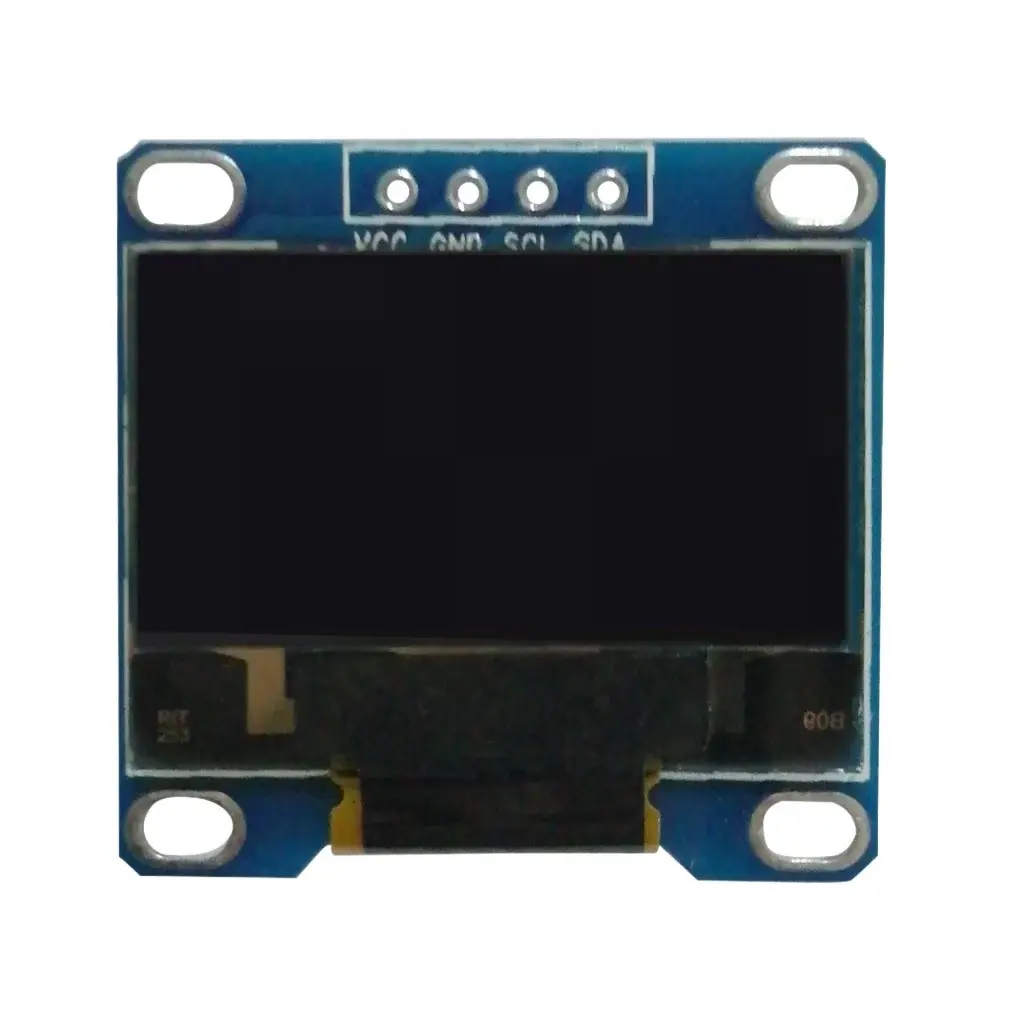
Compared to traditional LCD or LED displays, this OLED module consumes significantly less power and delivers sharper text and graphics. It is driven by the popular SSD1306 controller and is fully compatible with Arduino, ESP8266, ESP32, Raspberry Pi, and other development boards using standard I2C communication. With extensive library support, it is ideal for displaying sensor data, menus, icons, and small graphics in embedded systems.
Features
- High-contrast monochrome OLED display
- Self-emitting pixels for true black and crisp visuals
- Wide viewing angle up to 160°
- Fast response time with no motion blur
- Low power consumption (typically ~20mA)
- SSD1306 display driver for broad library support
- I2C interface reduces wiring complexity
- Built-in charge pump for stable OLED operation
- Supports text, shapes, bitmaps, and custom graphics
- No external logic level converter required
- Compatible with 3.3V and 5V microcontroller systems
Specifications
- Display type: Monochrome OLED
- Driver IC: SSD1306
- Diagonal size: 0.91 inch
- Resolution: 128 x 32 pixels
- Pixel color: White (variant dependent)
- Interface: I2C (2-wire)
- I2C address: 0x3C (default, some modules support 0x3D)
- Controller operating voltage: 1.65V – 3.3V
- Module supply voltage: 3.3V – 5V
- Typical current consumption: ~20mA
- Operating temperature: −40°C to +85°C
Pinout
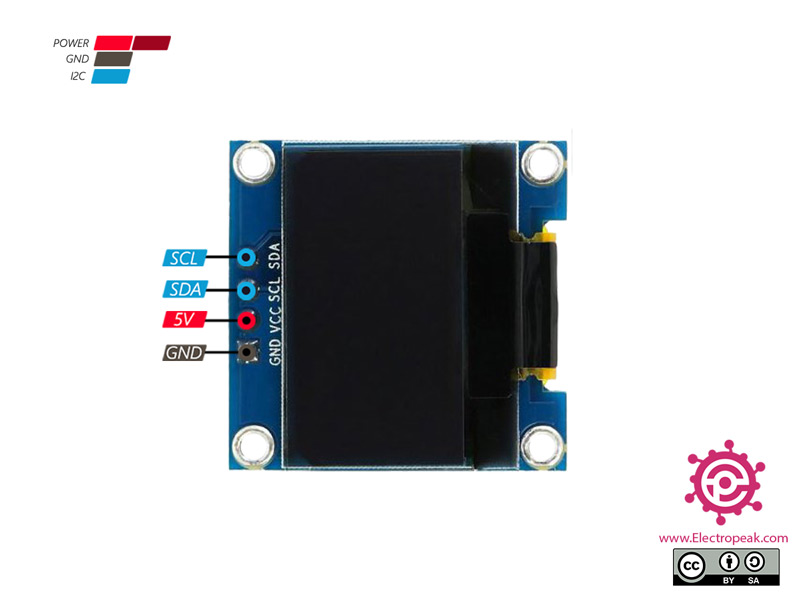
- GND – Ground
- VCC – Power supply (3.3V to 5V)
- SCL – I2C clock line
- SDA – I2C data line
- Pin headers are typically not soldered
Arduino Wiring

| Board | SCL | SDA |
|---|---|---|
| Arduino Uno | A5 | A4 |
| Arduino Nano | A5 | A4 |
| Arduino Mega | 21 | 20 |
| Arduino Leonardo / Micro | 3 | 2 |
Setup Instructions
- Install the Adafruit SSD1306 library using the Arduino Library Manager
- Install the Adafruit GFX library for graphics rendering
- Select the correct display resolution (128 x 32) in the example code
- Verify the I2C address (commonly 0x3C)
- Connect the module and upload a test sketch
- If the display does not respond, scan the I2C bus for address conflicts
Typical Applications
- Sensor data visualization
- Battery level and status indicators
- Menu systems and user interfaces
- Wearable electronics
- IoT dashboards
- Embedded diagnostic displays
Compared to traditional LCD or LED displays, this OLED module consumes significantly less power and delivers sharper text and graphics. It is driven by the popular SSD1306 controller and is fully compatible with Arduino, ESP8266, ESP32, Raspberry Pi, and other development boards using standard I2C communication. With extensive library support, it is ideal for displaying sensor data, menus, icons, and small graphics in embedded systems.
Features
- High-contrast monochrome OLED display
- Self-emitting pixels for true black and crisp visuals
- Wide viewing angle up to 160°
- Fast response time with no motion blur
- Low power consumption (typically ~20mA)
- SSD1306 display driver for broad library support
- I2C interface reduces wiring complexity
- Built-in charge pump for stable OLED operation
- Supports text, shapes, bitmaps, and custom graphics
- No external logic level converter required
- Compatible with 3.3V and 5V microcontroller systems
Specifications
- Display type: Monochrome OLED
- Driver IC: SSD1306
- Diagonal size: 0.91 inch
- Resolution: 128 x 32 pixels
- Pixel color: White (variant dependent)
- Interface: I2C (2-wire)
- I2C address: 0x3C (default, some modules support 0x3D)
- Controller operating voltage: 1.65V – 3.3V
- Module supply voltage: 3.3V – 5V
- Typical current consumption: ~20mA
- Operating temperature: −40°C to +85°C
Pinout
- GND – Ground
- VCC – Power supply (3.3V to 5V)
- SCL – I2C clock line
- SDA – I2C data line
- Pin headers are typically not soldered
Arduino Wiring
| Board | SCL | SDA |
|---|---|---|
| Arduino Uno | A5 | A4 |
| Arduino Nano | A5 | A4 |
| Arduino Mega | 21 | 20 |
| Arduino Leonardo / Micro | 3 | 2 |
Setup Instructions
- Install the Adafruit SSD1306 library using the Arduino Library Manager
- Install the Adafruit GFX library for graphics rendering
- Select the correct display resolution (128 x 32) in the example code
- Verify the I2C address (commonly 0x3C)
- Connect the module and upload a test sketch
- If the display does not respond, scan the I2C bus for address conflicts
Typical Applications
- Sensor data visualization
- Battery level and status indicators
- Menu systems and user interfaces
- Wearable electronics
- IoT dashboards
- Embedded diagnostic displays