Features
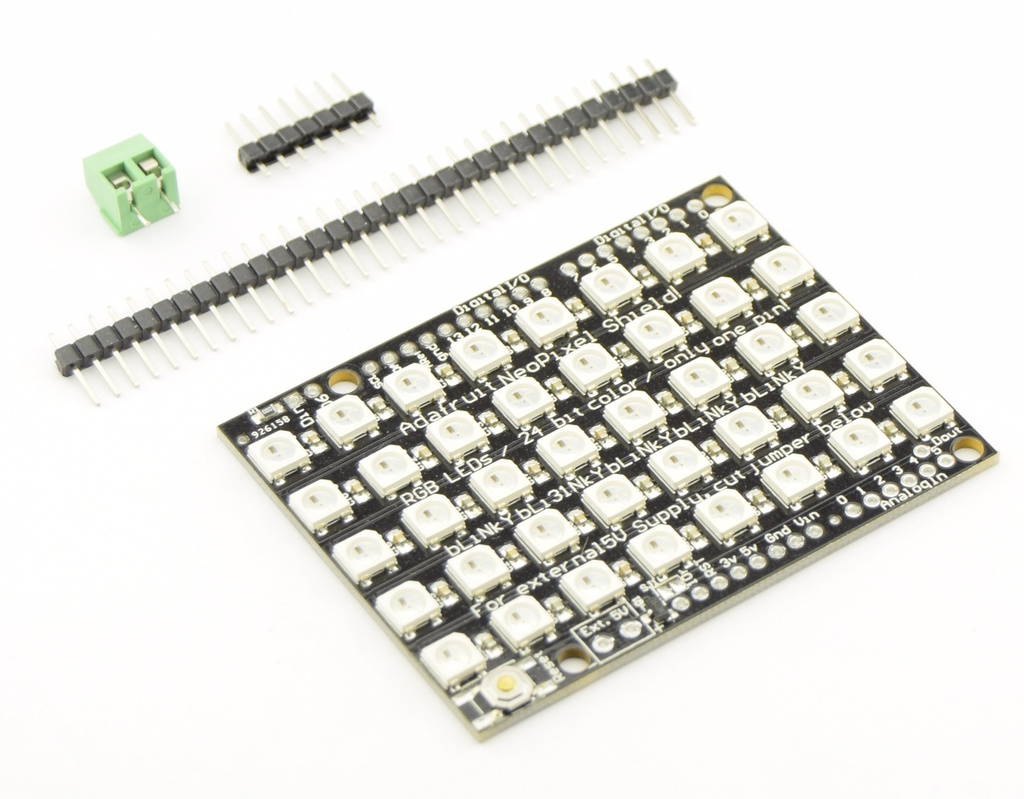
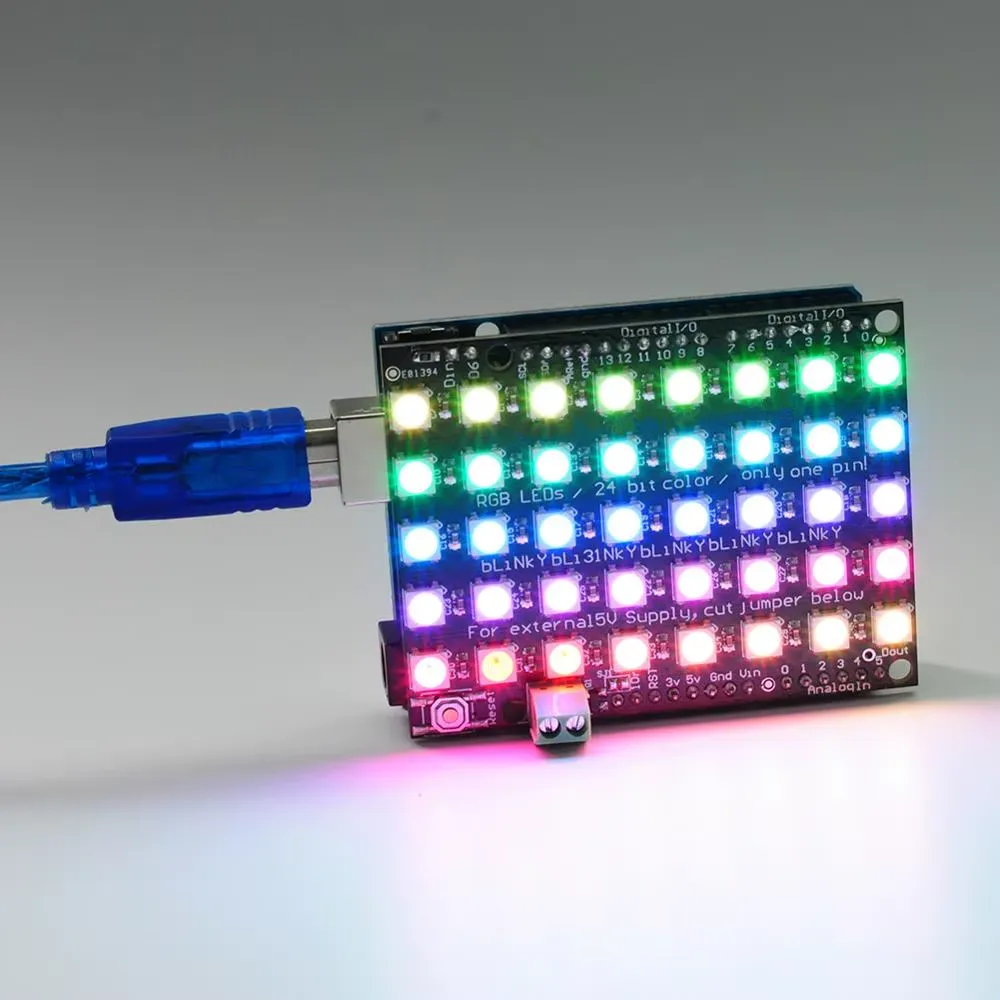
- 40 individually addressable WS2812 RGB LEDs
- 5 x 8 matrix layout
- Single digital data pin control (Digital pin 6)
- Powered by Arduino 5V or external 4–6V supply
- Supports multiple panel chaining using DIN/DOUT pins
- Simple integration with Arduino NeoPixel libraries
- Compact and lightweight for easy project integration
- Ideal for learning, animations, indicators, and creative displays
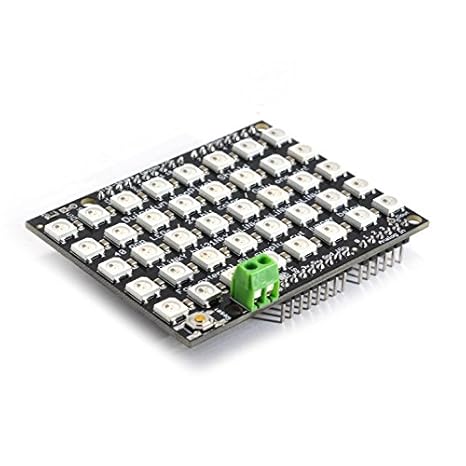
Specifications
- LED Type: WS2812 RGB LED
- Total LEDs: 40
- Matrix: 5 rows x 8 columns
- Control Pin: Digital 6
- Operating Voltage: 5V DC
- External Power Input: 4–6V DC via terminal block
- Logic Level: 5V
- Chaining: DIN/DOUT supported
- Recommended Board: Arduino Uno or compatible
Pinout automatically connected on the Arduino Uno
| Pin | Function | Arduino Connection |
|---|---|---|
| 5V | Power Supply (from Arduino or external) | 5V |
| GND | Ground | GND |
| DIN | Data Input | Digital Pin 6 |
| DOUT | Data Output (for chaining) | Connect to next panel DIN |
Arduino Wiring
- Optionally connect an external 4–6V power supply to the terminal block for higher power demand.
Example Arduino Code
-
Open the Arduino IDE.
-
Go to Sketch → Include Library → Manage Libraries…
-
In the Library Manager search bar, type:
- Adafruit NeoPixel
-
Look for “Adafruit NeoPixel by Adafruit” in the list.
-
Click Install.
-
Done! You can now include it in your sketch:
This example lights up all LEDs sequentially in red, green, and blue.

#include "Adafruit_NeoPixel.h"
#define PIN 6 // Pin connected to DIN
#define NUMPIXELS 40 // Total LEDs
Adafruit_NeoPixel pixels(NUMPIXELS, PIN, NEO_GRB + NEO_KHZ800);
void setup() {
 pixels.begin(); // Initialize NeoPixel library
}
void loop() {
 // Red
 for(int i=0; i<NUMPIXELS; i++){
 pixels.setPixelColor(i, pixels.Color(255,0,0));
 pixels.show();
 delay(50);
 }
 // Green
 for(int i=0; i<NUMPIXELS; i++){
 pixels.setPixelColor(i, pixels.Color(0,255,0));
 pixels.show();
 delay(50);
 }
 // Blue
 for(int i=0; i<NUMPIXELS; i++){
 pixels.setPixelColor(i, pixels.Color(0,0,255));
 pixels.show();
 delay(50);
 }
}
Features
- 40 individually addressable WS2812 RGB LEDs
- 5 x 8 matrix layout
- Single digital data pin control (Digital pin 6)
- Powered by Arduino 5V or external 4–6V supply
- Supports multiple panel chaining using DIN/DOUT pins
- Simple integration with Arduino NeoPixel libraries
- Compact and lightweight for easy project integration
- Ideal for learning, animations, indicators, and creative displays
Specifications
- LED Type: WS2812 RGB LED
- Total LEDs: 40
- Matrix: 5 rows x 8 columns
- Control Pin: Digital 6
- Operating Voltage: 5V DC
- External Power Input: 4–6V DC via terminal block
- Logic Level: 5V
- Chaining: DIN/DOUT supported
- Recommended Board: Arduino Uno or compatible
Pinout automatically connected on the Arduino Uno
| Pin | Function | Arduino Connection |
|---|---|---|
| 5V | Power Supply (from Arduino or external) | 5V |
| GND | Ground | GND |
| DIN | Data Input | Digital Pin 6 |
| DOUT | Data Output (for chaining) | Connect to next panel DIN |
Arduino Wiring
- Optionally connect an external 4–6V power supply to the terminal block for higher power demand.
Example Arduino Code
-
Open the Arduino IDE.
-
Go to Sketch → Include Library → Manage Libraries…
-
In the Library Manager search bar, type:
- Adafruit NeoPixel
-
Look for “Adafruit NeoPixel by Adafruit” in the list.
-
Click Install.
-
Done! You can now include it in your sketch:
This example lights up all LEDs sequentially in red, green, and blue.
#include "Adafruit_NeoPixel.h"
#define PIN 6 // Pin connected to DIN
#define NUMPIXELS 40 // Total LEDs
Adafruit_NeoPixel pixels(NUMPIXELS, PIN, NEO_GRB + NEO_KHZ800);
void setup() {
 pixels.begin(); // Initialize NeoPixel library
}
void loop() {
 // Red
 for(int i=0; i<NUMPIXELS; i++){
 pixels.setPixelColor(i, pixels.Color(255,0,0));
 pixels.show();
 delay(50);
 }
 // Green
 for(int i=0; i<NUMPIXELS; i++){
 pixels.setPixelColor(i, pixels.Color(0,255,0));
 pixels.show();
 delay(50);
 }
 // Blue
 for(int i=0; i<NUMPIXELS; i++){
 pixels.setPixelColor(i, pixels.Color(0,0,255));
 pixels.show();
 delay(50);
 }
}