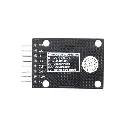
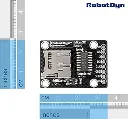
Features
- Supports MicroSD memory cards
- Supports MMC memory cards
- Uses the SPI communication interface
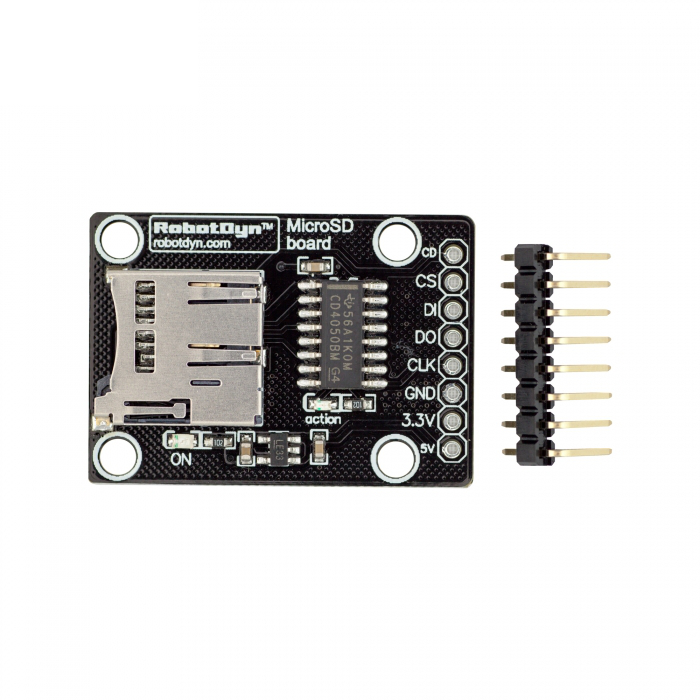
- Onboard CD4050 buffer IC
- Supports 3.3V and 5V logic systems
- Designed for high-speed data reading and writing
- Power LED indicator
- Activity LED indicator
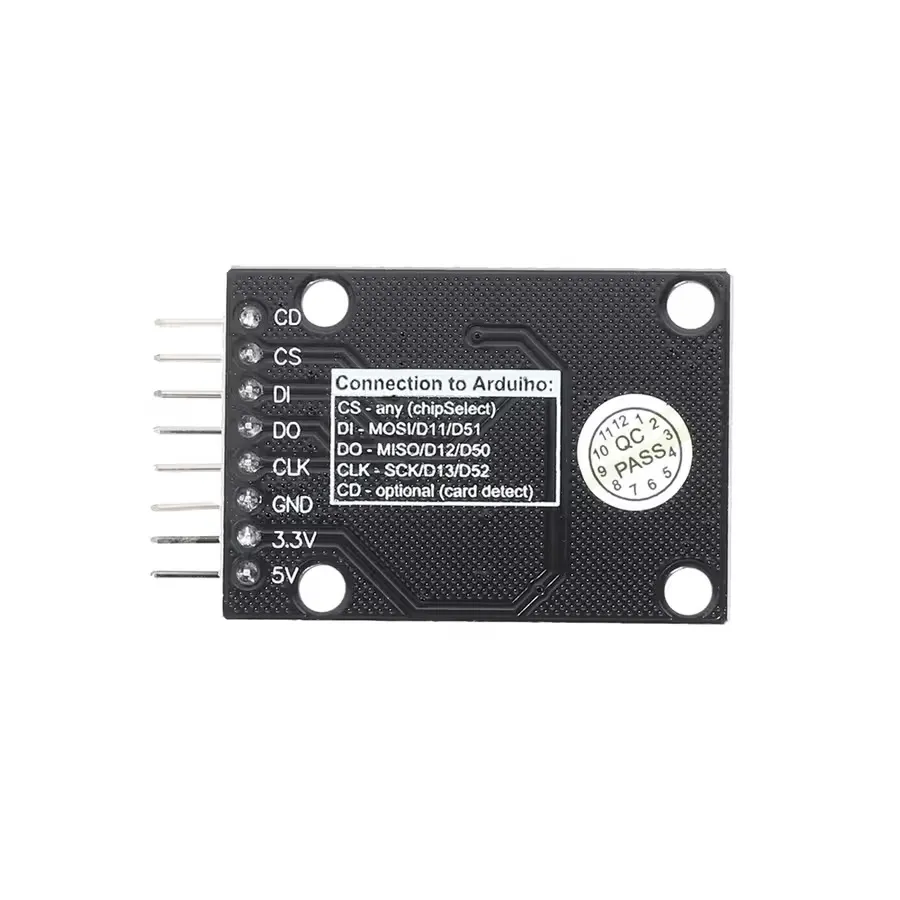
- PCB pinout markings for easy wiring
- Compatible with Arduino and other microcontrollers
- Suitable for data logging and file storage applications
- Removable memory card support
Principle of Operation
The module communicates with a microcontroller through the SPI bus. The microcontroller sends commands and data to the memory card through the MOSI line, while data is returned from the memory card through the MISO line.

The SCK pin provides the clock signal that synchronizes data transfer, while the CS pin selects the MicroSD card for communication. The onboard CD4050 buffer helps adapt and buffer the SPI signals between the microcontroller and the memory card.

The microcontroller can use a compatible file system library to create, read, write, and delete files stored on the MicroSD card. The memory card is commonly formatted using the FAT or FAT32 file system, depending on the microcontroller and software library being used.
Applications
- Data logging systems
- Sensor data storage
- Environmental monitoring projects
- Embedded file systems
- IoT data recording
- Audio and media storage projects
- Configuration file storage
- Arduino and microcontroller projects
- Robotics projects
Pinout

| Pin | Function | Description |
|---|---|---|
| VCC | Power Supply | Power input for the module |
| GND | Ground | Connect to the common ground |
| MISO | Master In Slave Out | SPI data output from the MicroSD card to the microcontroller |
| MOSI | Master Out Slave In | SPI data output from the microcontroller to the MicroSD card |
| SCK | SPI Clock | Clock signal used for SPI communication |
| CS | Chip Select | Selects the MicroSD card for SPI communication |
Wiring with Arduino UNO
The following table shows a typical SPI connection between the RobotDYN MicroSD Card Module and an Arduino UNO.
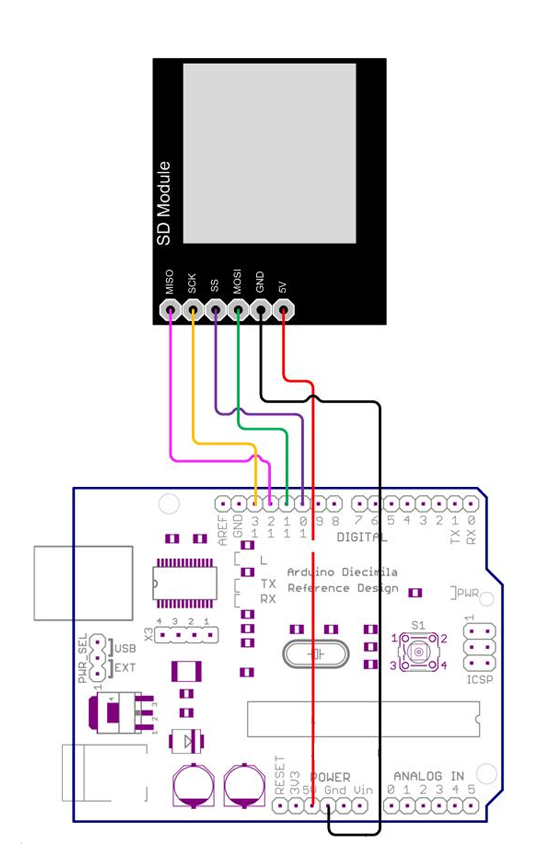
| MicroSD Card Module | Arduino UNO |
|---|---|
| VCC | 5V |
| GND | GND |
| MISO | D12 |
| MOSI | D11 |
| SCK | D13 |
| CS | D10 |
Arduino Library
No external library is required for basic Arduino projects. The module can be used with the built-in SD library included with the Arduino IDE.
Arduino Test Code
The following example initializes the MicroSD card and writes a short message to a file named test.txt.
#include <SPI.h>
#include <SD.h>

const int chipSelect = 10;

void setup() {
  Serial.begin(9600);

  Serial.println("Initializing SD card...");

  if (!SD.begin(chipSelect)) {
    Serial.println("SD card initialization failed!");
    return;
  }

  Serial.println("SD card initialized successfully.");

  File dataFile = SD.open("test.txt", FILE_WRITE);

  if (dataFile) {
    dataFile.println("Hello from Arduino!");
    dataFile.close();

    Serial.println("Data written to test.txt");
  } else {
    Serial.println("Error opening test.txt");
  }
}

void loop() {
}How the Code Works
The program uses the SPI and SD libraries to communicate with the memory card. The SD.begin() function initializes the card using the selected chip select pin.
After successful initialization, the program opens the test.txt file using FILE_WRITE, writes a text message to the card, and then closes the file. The Serial Monitor displays the status of each operation.
Specifications
| Module Type | MicroSD / MMC Card Module |
|---|---|
| Communication Interface | SPI |
| Supported Memory Cards | MicroSD and MMC |
| Buffer IC | CD4050 |
| Logic Level Compatibility | 3.3V and 5V |
| Status Indicators | Power LED and Activity LED |
| File System Support | FAT / FAT32, depending on the microcontroller and software library |
| Recommended Card Size for 8-bit Arduino Boards | Up to 2GB |
| Compatible Boards | Arduino UNO, Mega, Nano, Leonardo, Pro Mini, and other SPI-compatible microcontrollers |
Important Notes
- The MicroSD card should be formatted with a compatible FAT or FAT32 file system.
- For 8-bit Arduino boards, smaller-capacity cards are generally recommended for maximum compatibility.
Features
- Supports MicroSD memory cards
- Supports MMC memory cards
- Uses the SPI communication interface
- Onboard CD4050 buffer IC
- Supports 3.3V and 5V logic systems
- Designed for high-speed data reading and writing
- Power LED indicator
- Activity LED indicator
- PCB pinout markings for easy wiring
- Compatible with Arduino and other microcontrollers
- Suitable for data logging and file storage applications
- Removable memory card support
Principle of Operation
The module communicates with a microcontroller through the SPI bus. The microcontroller sends commands and data to the memory card through the MOSI line, while data is returned from the memory card through the MISO line.
The SCK pin provides the clock signal that synchronizes data transfer, while the CS pin selects the MicroSD card for communication. The onboard CD4050 buffer helps adapt and buffer the SPI signals between the microcontroller and the memory card.
The microcontroller can use a compatible file system library to create, read, write, and delete files stored on the MicroSD card. The memory card is commonly formatted using the FAT or FAT32 file system, depending on the microcontroller and software library being used.
Applications
- Data logging systems
- Sensor data storage
- Environmental monitoring projects
- Embedded file systems
- IoT data recording
- Audio and media storage projects
- Configuration file storage
- Arduino and microcontroller projects
- Robotics projects
Pinout
| Pin | Function | Description |
|---|---|---|
| VCC | Power Supply | Power input for the module |
| GND | Ground | Connect to the common ground |
| MISO | Master In Slave Out | SPI data output from the MicroSD card to the microcontroller |
| MOSI | Master Out Slave In | SPI data output from the microcontroller to the MicroSD card |
| SCK | SPI Clock | Clock signal used for SPI communication |
| CS | Chip Select | Selects the MicroSD card for SPI communication |
Wiring with Arduino UNO
The following table shows a typical SPI connection between the RobotDYN MicroSD Card Module and an Arduino UNO.
| MicroSD Card Module | Arduino UNO |
|---|---|
| VCC | 5V |
| GND | GND |
| MISO | D12 |
| MOSI | D11 |
| SCK | D13 |
| CS | D10 |
Arduino Library
No external library is required for basic Arduino projects. The module can be used with the built-in SD library included with the Arduino IDE.
Arduino Test Code
The following example initializes the MicroSD card and writes a short message to a file named test.txt.
#include <SPI.h>
#include <SD.h>

const int chipSelect = 10;

void setup() {
  Serial.begin(9600);

  Serial.println("Initializing SD card...");

  if (!SD.begin(chipSelect)) {
    Serial.println("SD card initialization failed!");
    return;
  }

  Serial.println("SD card initialized successfully.");

  File dataFile = SD.open("test.txt", FILE_WRITE);

  if (dataFile) {
    dataFile.println("Hello from Arduino!");
    dataFile.close();

    Serial.println("Data written to test.txt");
  } else {
    Serial.println("Error opening test.txt");
  }
}

void loop() {
}
How the Code Works
The program uses the SPI and SD libraries to communicate with the memory card. The SD.begin() function initializes the card using the selected chip select pin.
After successful initialization, the program opens the test.txt file using FILE_WRITE, writes a text message to the card, and then closes the file. The Serial Monitor displays the status of each operation.
Specifications
| Module Type | MicroSD / MMC Card Module |
|---|---|
| Communication Interface | SPI |
| Supported Memory Cards | MicroSD and MMC |
| Buffer IC | CD4050 |
| Logic Level Compatibility | 3.3V and 5V |
| Status Indicators | Power LED and Activity LED |
| File System Support | FAT / FAT32, depending on the microcontroller and software library |
| Recommended Card Size for 8-bit Arduino Boards | Up to 2GB |
| Compatible Boards | Arduino UNO, Mega, Nano, Leonardo, Pro Mini, and other SPI-compatible microcontrollers |
Important Notes
- The MicroSD card should be formatted with a compatible FAT or FAT32 file system.
- For 8-bit Arduino boards, smaller-capacity cards are generally recommended for maximum compatibility.