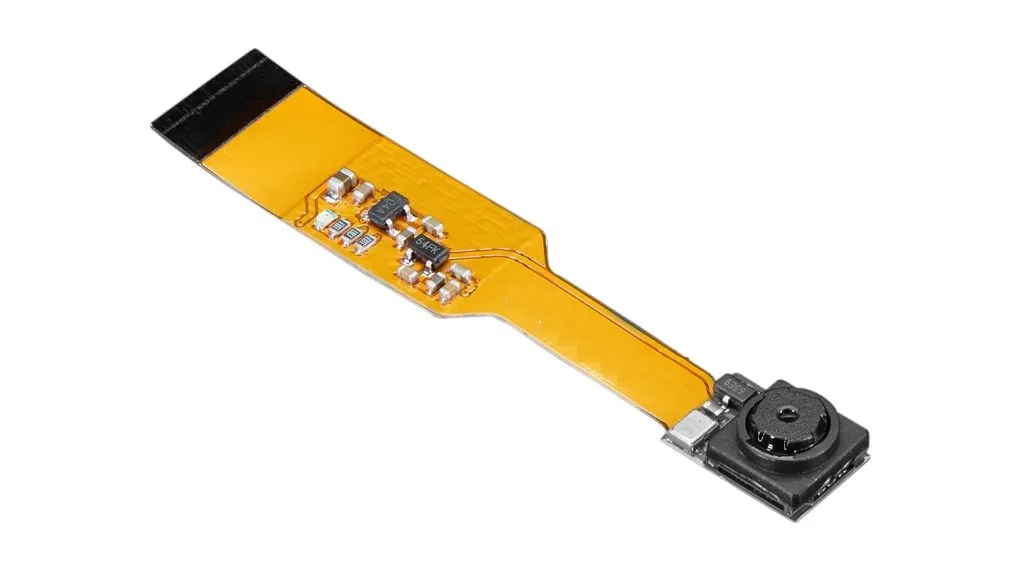
The camera module supports multiple video resolutions including Full HD 1080p at 30 frames per second, 720p at 60 frames per second, and 480p at up to 90 frames per second. This makes it suitable for a wide range of applications such as surveillance systems, robotics vision, time-lapse photography, computer vision projects, and DIY smart devices. The lens features an aperture of f2.9 and a focal length of 3.60 mm, providing a balanced field of view suitable for general imaging tasks. With its compact size and direct compatibility with Raspberry Pi Zero boards, ZeroCam is an excellent choice for embedded imaging projects and space-constrained robotics systems.
Features
- Ultra-compact camera module designed for Raspberry Pi Zero series
- 5 megapixel image sensor for high resolution photos
- Direct connection to Raspberry Pi CSI camera interface
- No additional adapters or connectors required
- Supports multiple HD video recording formats
- Lightweight and compact design for embedded systems
- Suitable for robotics, computer vision, and monitoring projects
Specifications
- Sensor Resolution: 5 Megapixels (2592 × 1944)
- Video Resolution: 1080p at 30 fps
- Video Resolution: 720p at 60 fps
- Video Resolution: 480p at 90 fps
- Lens Aperture: f/2.9
- Focal Length: 3.60 mm
- Horizontal Field of View: 53.50°
- Vertical Field of View: 41.41°
- Interface: CSI Camera Interface
- Dimensions: 60 × 11.4 × 5.1 mm
Applications
- Robotics vision systems
- DIY security cameras
- Computer vision projects
- Time-lapse photography
- Embedded imaging systems
- Smart home monitoring devices
How to Use
- Power off the Raspberry Pi Zero before connecting the camera module.
- Locate the CSI camera connector on the Raspberry Pi Zero or Zero W.
- Carefully insert the camera ribbon cable into the CSI connector.
- Secure the connector latch to hold the cable in place.
- Power on the Raspberry Pi and enable the camera interface through the Raspberry Pi configuration settings.
- Use camera software such as raspistill or libcamera to capture images and videos.
The camera module supports multiple video resolutions including Full HD 1080p at 30 frames per second, 720p at 60 frames per second, and 480p at up to 90 frames per second. This makes it suitable for a wide range of applications such as surveillance systems, robotics vision, time-lapse photography, computer vision projects, and DIY smart devices. The lens features an aperture of f2.9 and a focal length of 3.60 mm, providing a balanced field of view suitable for general imaging tasks. With its compact size and direct compatibility with Raspberry Pi Zero boards, ZeroCam is an excellent choice for embedded imaging projects and space-constrained robotics systems.
Features
- Ultra-compact camera module designed for Raspberry Pi Zero series
- 5 megapixel image sensor for high resolution photos
- Direct connection to Raspberry Pi CSI camera interface
- No additional adapters or connectors required
- Supports multiple HD video recording formats
- Lightweight and compact design for embedded systems
- Suitable for robotics, computer vision, and monitoring projects
Specifications
- Sensor Resolution: 5 Megapixels (2592 × 1944)
- Video Resolution: 1080p at 30 fps
- Video Resolution: 720p at 60 fps
- Video Resolution: 480p at 90 fps
- Lens Aperture: f/2.9
- Focal Length: 3.60 mm
- Horizontal Field of View: 53.50°
- Vertical Field of View: 41.41°
- Interface: CSI Camera Interface
- Dimensions: 60 × 11.4 × 5.1 mm
Applications
- Robotics vision systems
- DIY security cameras
- Computer vision projects
- Time-lapse photography
- Embedded imaging systems
- Smart home monitoring devices
How to Use
- Power off the Raspberry Pi Zero before connecting the camera module.
- Locate the CSI camera connector on the Raspberry Pi Zero or Zero W.
- Carefully insert the camera ribbon cable into the CSI connector.
- Secure the connector latch to hold the cable in place.
- Power on the Raspberry Pi and enable the camera interface through the Raspberry Pi configuration settings.
- Use camera software such as raspistill or libcamera to capture images and videos.