Features
- Built-in Wi-Fi: Supports 802.11 b/g/n standards for reliable wireless connectivity
- Easy Programming: Compatible with Arduino IDE, Lua, and MicroPython
- Power Efficient: Low power operation, ideal for battery-powered projects
- Compact & Lightweight: Small form factor suitable for embedded systems
- Open-Source & Community Support: Extensive documentation, libraries, and forums for development
- GPIO Access: Provides multiple pins for sensors, actuators, and other peripherals
Technical Specifications
- Microcontroller: ESP8266
- Wi-Fi Standards: 802.11 b/g/n
- Operating Voltage: 3.3V
- Power Consumption: ~70mA (Wi-Fi active), ~10µA (Deep Sleep mode)
- Communication Interfaces: UART
- Operating Temperature: -40°C to 125°C
- Board Dimensions: 14.2mm x 14.2mm (approx.)
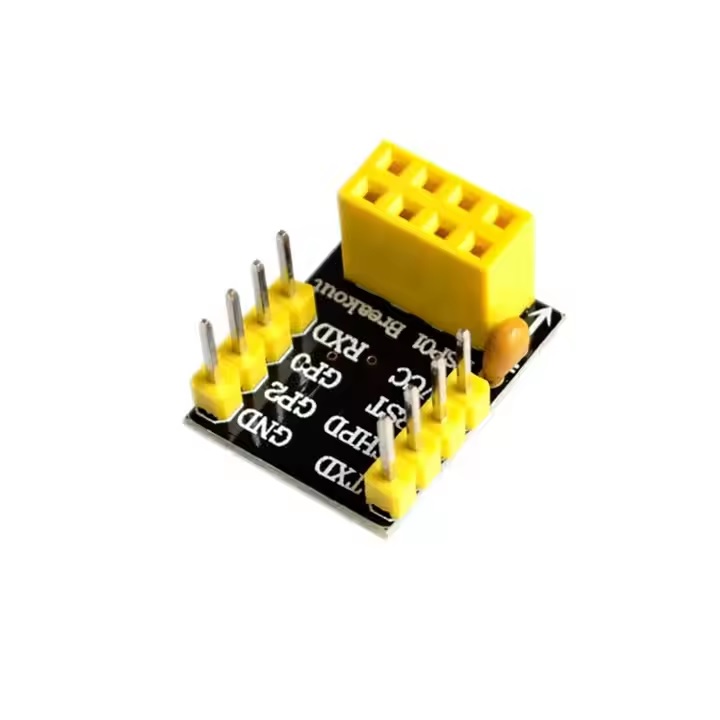
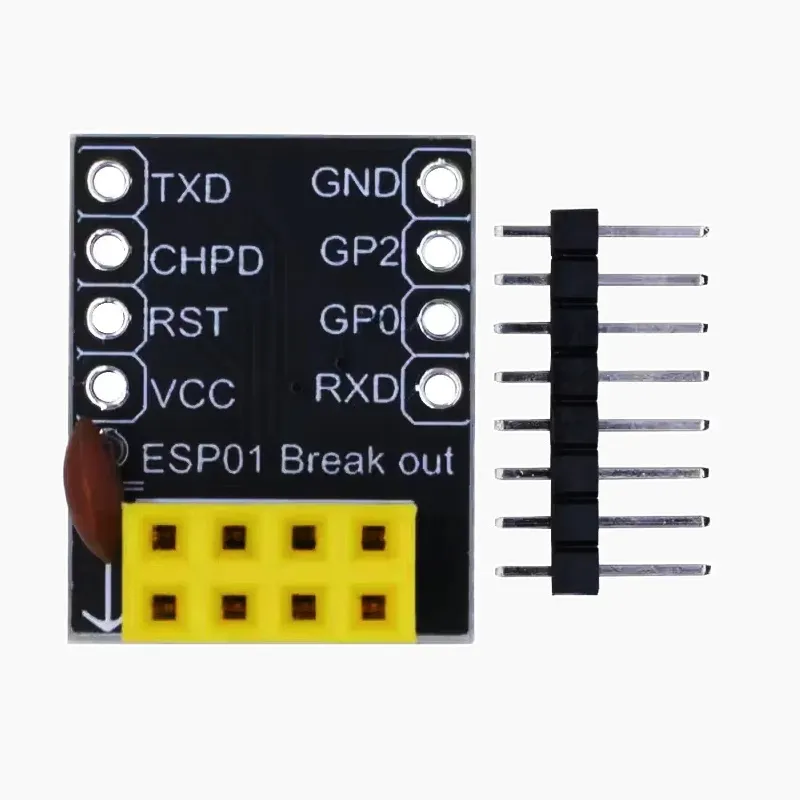
Pinout Diagram

Applications
- Smart home automation and control
- Robotics and wireless sensor networks
- Industrial monitoring and automation systems
- DIY electronics and wearable IoT devices
- Remote data acquisition and telemetry
Arduino IDE Support
- Download and install Arduino IDE for Windows.
- Add ESP8266 board support: File → Preferences → Additional Board Manager URLs → add
http://arduino.esp8266.com/stable/package_esp8266com_index.json - Open Tools → Board → Boards Manager → search “ESP8266” → Install.
- Select the appropriate ESP8266 board and COM port.
- Use ESP8266 Arduino Core libraries to develop your projects.
Resources & Documentation
- Official ESP8266 Technical Reference
- Arduino IDE Setup & Libraries for ESP8266
- Community Support & Tutorials
Features
- Built-in Wi-Fi: Supports 802.11 b/g/n standards for reliable wireless connectivity
- Easy Programming: Compatible with Arduino IDE, Lua, and MicroPython
- Power Efficient: Low power operation, ideal for battery-powered projects
- Compact & Lightweight: Small form factor suitable for embedded systems
- Open-Source & Community Support: Extensive documentation, libraries, and forums for development
- GPIO Access: Provides multiple pins for sensors, actuators, and other peripherals
Technical Specifications
- Microcontroller: ESP8266
- Wi-Fi Standards: 802.11 b/g/n
- Operating Voltage: 3.3V
- Power Consumption: ~70mA (Wi-Fi active), ~10µA (Deep Sleep mode)
- Communication Interfaces: UART
- Operating Temperature: -40°C to 125°C
- Board Dimensions: 14.2mm x 14.2mm (approx.)
Pinout Diagram
Applications
- Smart home automation and control
- Robotics and wireless sensor networks
- Industrial monitoring and automation systems
- DIY electronics and wearable IoT devices
- Remote data acquisition and telemetry
Arduino IDE Support
- Download and install Arduino IDE for Windows.
- Add ESP8266 board support: File → Preferences → Additional Board Manager URLs → add
http://arduino.esp8266.com/stable/package_esp8266com_index.json - Open Tools → Board → Boards Manager → search “ESP8266” → Install.
- Select the appropriate ESP8266 board and COM port.
- Use ESP8266 Arduino Core libraries to develop your projects.