Features:
- Interface: CSI (Camera Serial Interface) compatible with Raspberry Pi Zero V1.3 and Zero W
- 5 Megapixel OV5647 image sensor for high-quality still images
- Maximum Image Resolution: 2592 x 1944 pixels
- Video Support: 1080p30, 720p60, 640x480p60/90
- CCD Dimension: 1/4 inch with a 72.4° diagonal field of view
- Optimized Sensor Resolutions: Best for 720p and 1080p video recording
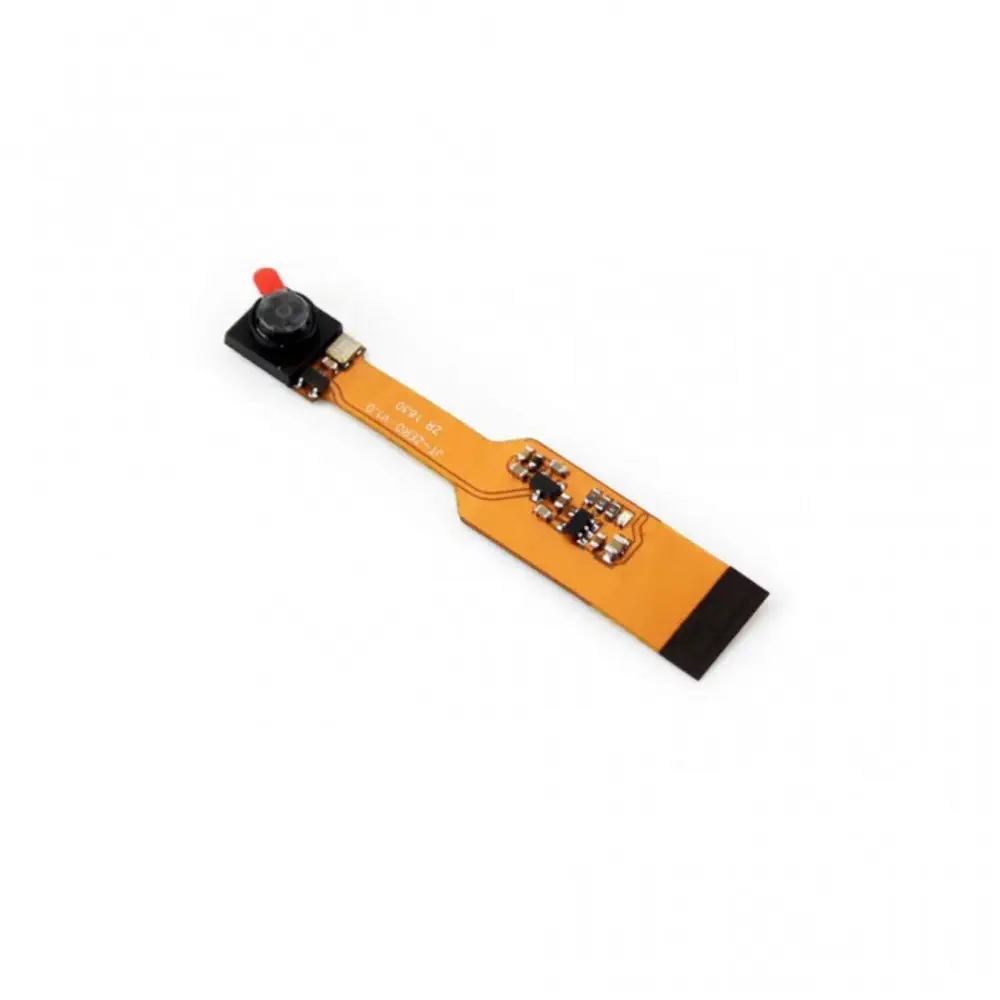
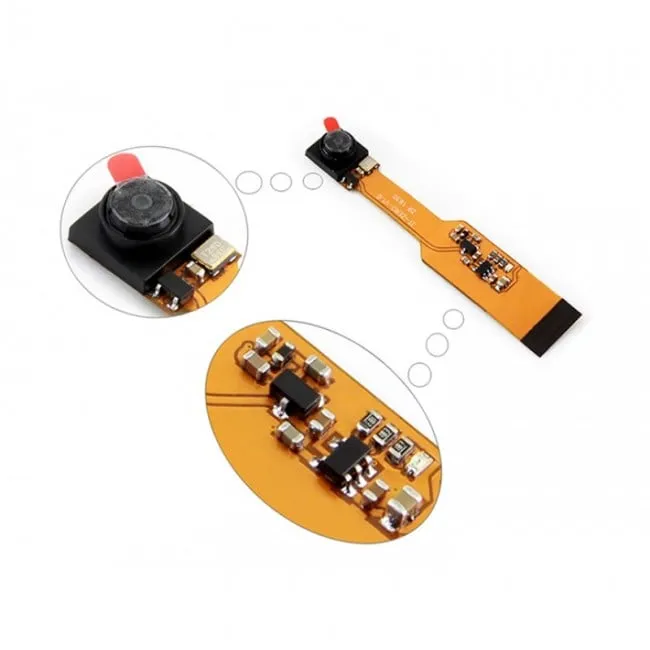
- Compact Dimensions: 60 mm x 11.5 mm x 5 mm for integration in tight spaces
- Compatible with motionEyeOS for building Raspberry Pi-based surveillance systems
Principle of Work:
The camera module works by converting optical images into digital signals using the OV5647 CMOS sensor. These signals are transmitted over the CSI interface to the Raspberry Pi Zero board, where software (like the Raspbian camera drivers or motionEyeOS) processes the data for still images, video recording, or real-time streaming. The module supports various resolutions and frame rates, allowing users to balance image quality with performance depending on the project requirements. Its compact design allows integration into miniaturized systems without interfering with other components.
Pinout / Connections:
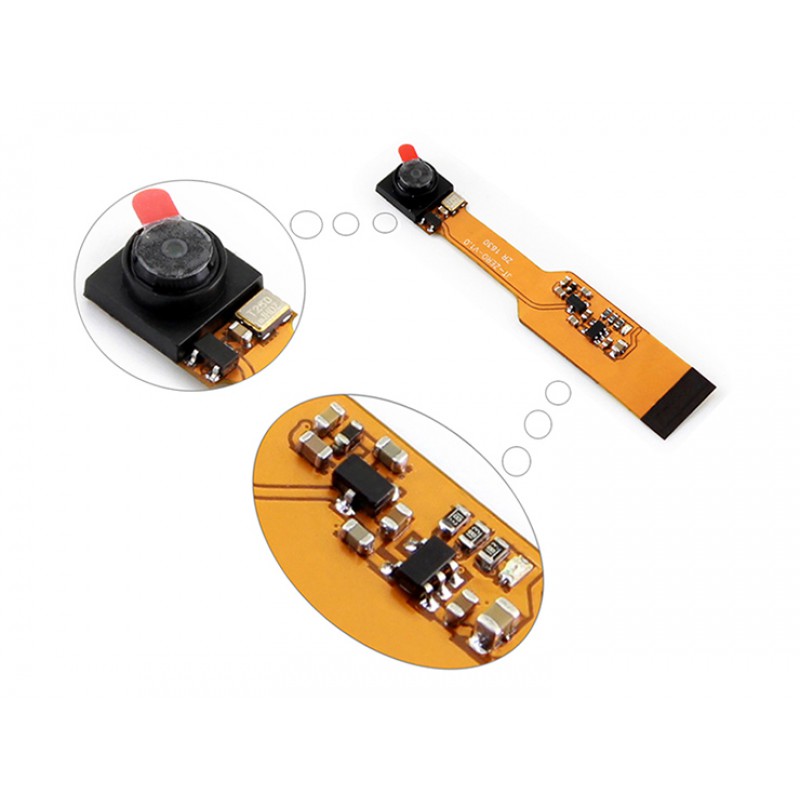
The camera connects via the CSI (Camera Serial Interface) port on the Raspberry Pi Zero or Zero W. The ribbon cable should be securely inserted into the CSI connector on the board, with the contacts facing the correct direction for proper operation.

Applications:
- Surveillance Systems: Build DIY home or office monitoring systems using motionEyeOS.
- Robotics: Integrate with Raspberry Pi-based robots for vision and navigation.
- Embedded Imaging: Capture images and video in compact embedded projects.
- IoT Projects: Stream live video over a network or store captured media for remote monitoring.
- Educational Purposes: Ideal for teaching computer vision and camera integration on Raspberry Pi.
Circuit:

The module connects directly to the Raspberry Pi Zero via the CSI interface. No additional circuitry is required, though optional power and network connections may be added depending on the application.
Code:
You can use Python, C/C++, or motionEyeOS configuration scripts to operate the camera. For Python with the PiCamera library:
 from picamera import PiCamera from time import sleep
camera = PiCamera()
camera.start_preview()
sleep(5)
camera.capture('/home/pi/image.jpg')
camera.stop_preview()
Technical Details:
- Sensor: 5 Megapixel OV5647
- Max Resolution: 2592 x 1944
- Video Modes: 1080p30, 720p60, 640x480p60/90
- CCD Size: 1/4 inch
- Field of View: 72.4° diagonal
- Interface: CSI (Camera Serial Interface)
- Dimensions: 60 x 11.5 x 5 mm
Resources:
- Raspberry Pi Camera Official Documentation
- motionEyeOS Documentation
- Raspberry Pi Camera Forum Community
Features:
- Interface: CSI (Camera Serial Interface) compatible with Raspberry Pi Zero V1.3 and Zero W
- 5 Megapixel OV5647 image sensor for high-quality still images
- Maximum Image Resolution: 2592 x 1944 pixels
- Video Support: 1080p30, 720p60, 640x480p60/90
- CCD Dimension: 1/4 inch with a 72.4° diagonal field of view
- Optimized Sensor Resolutions: Best for 720p and 1080p video recording
- Compact Dimensions: 60 mm x 11.5 mm x 5 mm for integration in tight spaces
- Compatible with motionEyeOS for building Raspberry Pi-based surveillance systems
Principle of Work:
The camera module works by converting optical images into digital signals using the OV5647 CMOS sensor. These signals are transmitted over the CSI interface to the Raspberry Pi Zero board, where software (like the Raspbian camera drivers or motionEyeOS) processes the data for still images, video recording, or real-time streaming. The module supports various resolutions and frame rates, allowing users to balance image quality with performance depending on the project requirements. Its compact design allows integration into miniaturized systems without interfering with other components.
Pinout / Connections:
The camera connects via the CSI (Camera Serial Interface) port on the Raspberry Pi Zero or Zero W. The ribbon cable should be securely inserted into the CSI connector on the board, with the contacts facing the correct direction for proper operation.
Applications:
- Surveillance Systems: Build DIY home or office monitoring systems using motionEyeOS.
- Robotics: Integrate with Raspberry Pi-based robots for vision and navigation.
- Embedded Imaging: Capture images and video in compact embedded projects.
- IoT Projects: Stream live video over a network or store captured media for remote monitoring.
- Educational Purposes: Ideal for teaching computer vision and camera integration on Raspberry Pi.
Circuit:
The module connects directly to the Raspberry Pi Zero via the CSI interface. No additional circuitry is required, though optional power and network connections may be added depending on the application.
Code:
You can use Python, C/C++, or motionEyeOS configuration scripts to operate the camera. For Python with the PiCamera library:
 from picamera import PiCamera from time import sleep
camera = PiCamera()
camera.start_preview()
sleep(5)
camera.capture('/home/pi/image.jpg')
camera.stop_preview()
Technical Details:
- Sensor: 5 Megapixel OV5647
- Max Resolution: 2592 x 1944
- Video Modes: 1080p30, 720p60, 640x480p60/90
- CCD Size: 1/4 inch
- Field of View: 72.4° diagonal
- Interface: CSI (Camera Serial Interface)
- Dimensions: 60 x 11.5 x 5 mm
Resources:
- Raspberry Pi Camera Official Documentation
- motionEyeOS Documentation
- Raspberry Pi Camera Forum Community