Skip to Content

Servo Metal Gear MG996R

The High-Torque MG996R Digital Servo is a powerful servo motor with metal gearing, delivering high torque in a compact package. It features upgraded shock-proofing, metal gears, double ball bearings, and a stable design. With dimensions of 40mm x 19mm x 43mm and a weight of 55g, this servo operates efficiently with an operating speed of 0.17sec/60° at 4.8V and 0.13sec/60° at 6.0V, offering stall torque of 13 kg-cm at 4.8V and 15 kg-cm at 6V. It operates within a voltage range of 4.8 to 7.2V and comes with heavy-duty connector wires of 300mm length. The servo is compatible with various receivers and is suitable for applications in trucks, boats, racing cars, and airplanes.

Package Includes:

  • 1 x MG996R Metal Gear Servo
  • Selection of servo arms and mounting screws
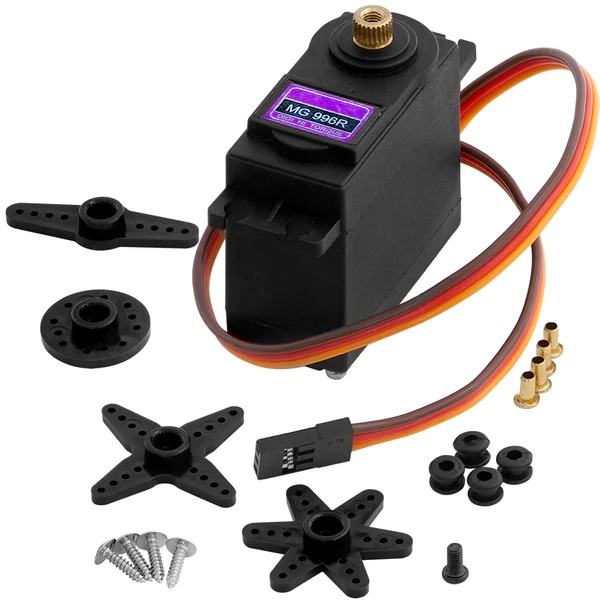
Metal High Torque Servo
25.00 AED 25.00 AED (Tax included)

Terms and Conditions
30-day money-back guarantee
Shipping: 2-3 Business Days


Features:

  • Metal Gearing for High Torque: Ensures exceptional torque output, ideal for applications requiring robust power.
  • Upgraded Shock-Proofing: Enhanced shock-proofing capabilities safeguard against external impacts or vibrations.
  • Double Ball Bearing Design: Delivers smooth and stable operation, minimizing friction and wear.
  • Stable Operation: Advanced internal mechanisms ensure consistent performance.
  • Compact Size and Lightweight: Easy to integrate into various projects.
  • Receiver Compatibility: Works with Futaba, JR, GWS, Cirrus, Blue Bird, Blue Arrow, Corona, Berg, Spektrum, Hitec, and more.

Specifications:

  • Operating Speed:
    • 0.17 sec/60° at 4.8V
    • 0.13 sec/60° at 6.0V
  • Stall Torque:
    • 13 kg-cm at 4.8V
    • 15 kg-cm at 6.0V
  • Voltage Range: 4.8V to 7.2V
  • Connector Wire Length: 300mm
  • Dimensions: 40mm x 19mm x 43mm
  • Weight: 55g


Wiring:

  1. Connect the servo's power wire (Red) to 5V.
  2. Connect the ground wire (Black or Brown) to GND.
  3. Connect the control wire (Yellow or Orange) to pin 9 on Arduino.

Example Arduino Code:

#include <Servo.h>

Servo myservo;  // create servo object
int pos = 0;    // variable to store servo position

void setup() {
  myservo.attach(9);  // attach servo on pin 9
}

void loop() {
  for (pos = 0; pos <= 180; pos += 1) {
    myservo.write(pos);    // move to position
    delay(15);             // wait for servo to reach position
  }
  for (pos = 180; pos >= 0; pos -= 1) {
    myservo.write(pos);    // move back
    delay(15);
  }
}