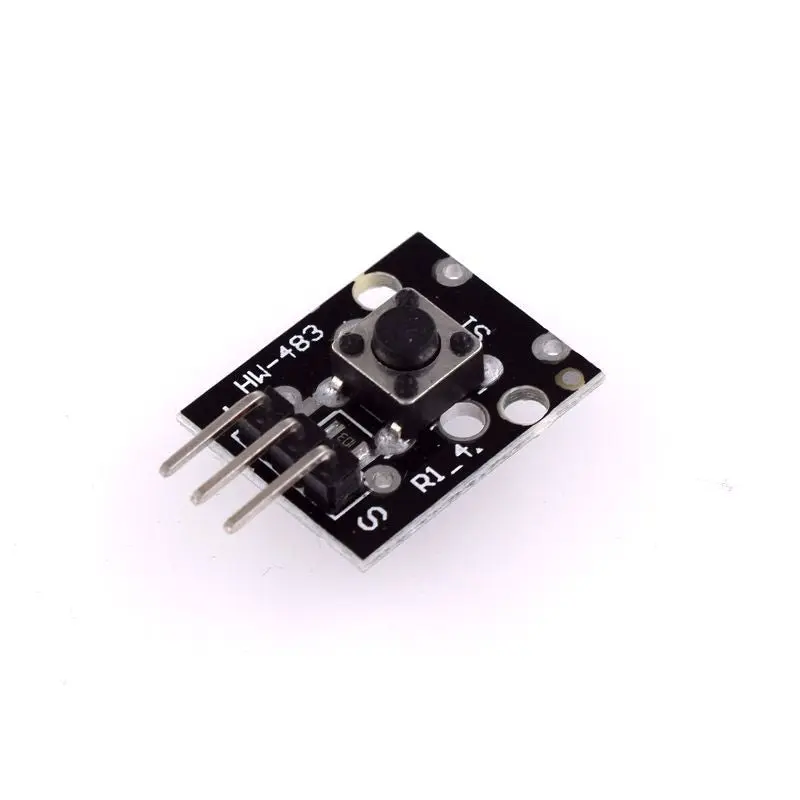
Specifications
- Material: FR4
- Operating Voltage: 5V DC
- Type: Push Button Key Switch
- Max Operating Force: 180 / 230 ±20gf
- Durability: 100,000 cycles
- Dimensions: 25 x 16 x 10mm
- Weight: 1.5g
Pin Connections

| Pin | Description | Connection |
|---|---|---|
| - | Ground | Connect to Ground |
| +5V | Positive Power | Connect to 5V |
| S | Digital Signal | Connect to Digital Input on MCU |
Applications
- User Interfaces: As part of control panels to trigger commands or actions.
- Sensor Inputs: Detecting physical input from users.
- Alarm Systems: Acts as an emergency stop or panic button.
- Robotics: Used for manual control or input in robotic systems.
- Home Automation: Trigger actions like lighting or door control.
Sample Project
Circuit Connections
- LED + → Pin 13
- LED - → GND
- Sensor Signal → Pin 10
- Sensor +V → 5V
- Sensor - → GND

Library
No external library is required to use this module.
Example Code
int Led = 13;     // Declaration of the LED output pin
int Sensor = 10;  // Declaration of the sensor input pin
int val;          // Temporary variable

void setup() {
  pinMode(Led, OUTPUT);       // Initialize LED pin
  pinMode(Sensor, INPUT);     // Initialize button pin
  digitalWrite(Sensor, HIGH); // Enable internal pull-up resistor
}

void loop() {
  val = digitalRead(Sensor);  // Read button state
  if (val == HIGH) {
    digitalWrite(Led, LOW);   // LED off if button not pressed
  } else {
    digitalWrite(Led, HIGH);  // LED on if button is pressed
  }
}
Reference
Specifications
- Material: FR4
- Operating Voltage: 5V DC
- Type: Push Button Key Switch
- Max Operating Force: 180 / 230 ±20gf
- Durability: 100,000 cycles
- Dimensions: 25 x 16 x 10mm
- Weight: 1.5g
Pin Connections
| Pin | Description | Connection |
|---|---|---|
| - | Ground | Connect to Ground |
| +5V | Positive Power | Connect to 5V |
| S | Digital Signal | Connect to Digital Input on MCU |
Applications
- User Interfaces: As part of control panels to trigger commands or actions.
- Sensor Inputs: Detecting physical input from users.
- Alarm Systems: Acts as an emergency stop or panic button.
- Robotics: Used for manual control or input in robotic systems.
- Home Automation: Trigger actions like lighting or door control.
Sample Project
Circuit Connections
- LED + → Pin 13
- LED - → GND
- Sensor Signal → Pin 10
- Sensor +V → 5V
- Sensor - → GND
Library
No external library is required to use this module.
Example Code
int Led = 13;     // Declaration of the LED output pin
int Sensor = 10;  // Declaration of the sensor input pin
int val;          // Temporary variable

void setup() {
  pinMode(Led, OUTPUT);       // Initialize LED pin
  pinMode(Sensor, INPUT);     // Initialize button pin
  digitalWrite(Sensor, HIGH); // Enable internal pull-up resistor
}

void loop() {
  val = digitalRead(Sensor);  // Read button state
  if (val == HIGH) {
    digitalWrite(Led, LOW);   // LED off if button not pressed
  } else {
    digitalWrite(Led, HIGH);  // LED on if button is pressed
  }
}
Reference