- All products
- Development Boards
- Raspberry Pi
- RPi Accessories
- RPi Cameras
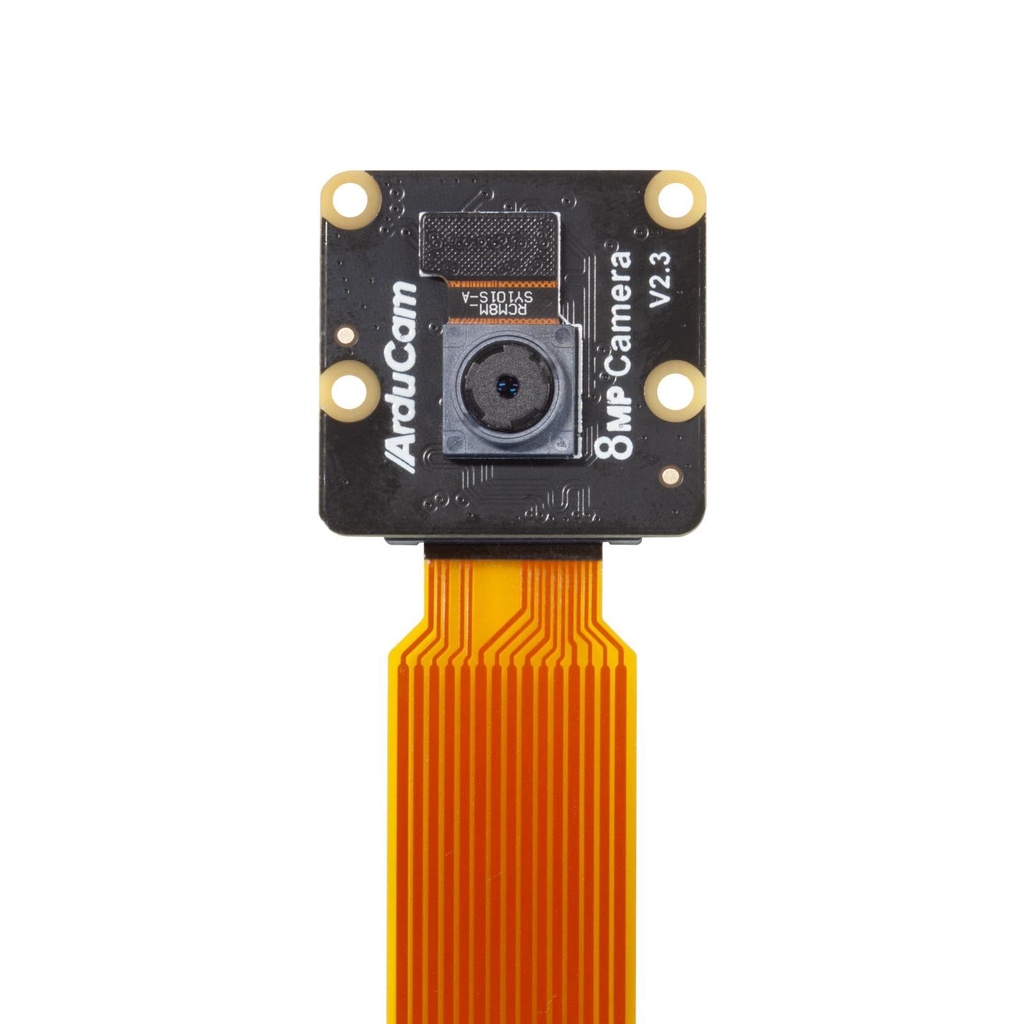
- Raspberry Pi ArduCAM Mini Noir Camera Module, 8MP IMX219 RPi-CAM-V2 Night Vision
- RPi Cameras
Features:
- High-Resolution Imaging: Capture detailed photos and videos with an 8MP sensor.
- Enhanced Night Vision: Built-in technology optimizes performance in low-light environments.
- Versatile Applications: Perfect for robotics, drones, security systems, and industrial monitoring.
- Video Recording: Supports multiple formats with adjustable frame rates and video compression.
- Easy Integration: Compatible with Arduino, Raspberry Pi, and other microcontrollers.
- Software Support: Comes with a comprehensive software library and API for seamless control.
- Compact Design: Small form factor ideal for space-constrained applications.
Specifications:
- Image Sensor: 8-megapixel IMX219 sensor
- Resolution: 3264 x 2448 pixels
- Lens Type: Fixed-focus lens system
- Field of View: Moderate, suited for versatile applications
- Interface: Standard camera interface (SCCB/I2C for configuration; MIPI CSI-2 for data transmission)
- Compatibility: Works with Arduino boards, Raspberry Pi, and other microcontrollers
- Video Capabilities: Supports various video formats, adjustable frame rates, and video compression
- Low-Light Performance: Enhanced by built-in image processing algorithms and adjustable settings
Pinout and Wiring:
The ArduCAM Mini Noir Camera Module connects via a standard 15-pin ribbon cable, ensuring hassle-free integration with your host device.
- Power (VDD): Supplies the required voltage (typically 5V) to the camera module.
- Ground (GND): Provides the common ground connection for stable operation.
- MIPI CSI Data Lines: Dedicated lanes for high-speed image data transfer.
- Control Lines (I2C): SDA and SCL lines used for camera configuration and control.
Wiring Guidelines:
- Use the provided ribbon cable to connect the module to your device’s CSI interface.
- Ensure proper alignment of the connector to avoid damage.
- For custom wiring or interfacing with non-standard boards, consult your platform’s documentation to verify correct voltage levels and pin assignments.
Features:
- High-Resolution Imaging: Capture detailed photos and videos with an 8MP sensor.
- Enhanced Night Vision: Built-in technology optimizes performance in low-light environments.
- Versatile Applications: Perfect for robotics, drones, security systems, and industrial monitoring.
- Video Recording: Supports multiple formats with adjustable frame rates and video compression.
- Easy Integration: Compatible with Arduino, Raspberry Pi, and other microcontrollers.
- Software Support: Comes with a comprehensive software library and API for seamless control.
- Compact Design: Small form factor ideal for space-constrained applications.
Specifications:
- Image Sensor: 8-megapixel IMX219 sensor
- Resolution: 3264 x 2448 pixels
- Lens Type: Fixed-focus lens system
- Field of View: Moderate, suited for versatile applications
- Interface: Standard camera interface (SCCB/I2C for configuration; MIPI CSI-2 for data transmission)
- Compatibility: Works with Arduino boards, Raspberry Pi, and other microcontrollers
- Video Capabilities: Supports various video formats, adjustable frame rates, and video compression
- Low-Light Performance: Enhanced by built-in image processing algorithms and adjustable settings
Pinout and Wiring:
The ArduCAM Mini Noir Camera Module connects via a standard 15-pin ribbon cable, ensuring hassle-free integration with your host device.
- Power (VDD): Supplies the required voltage (typically 5V) to the camera module.
- Ground (GND): Provides the common ground connection for stable operation.
- MIPI CSI Data Lines: Dedicated lanes for high-speed image data transfer.
- Control Lines (I2C): SDA and SCL lines used for camera configuration and control.
Wiring Guidelines:
- Use the provided ribbon cable to connect the module to your device’s CSI interface.
- Ensure proper alignment of the connector to avoid damage.
- For custom wiring or interfacing with non-standard boards, consult your platform’s documentation to verify correct voltage levels and pin assignments.