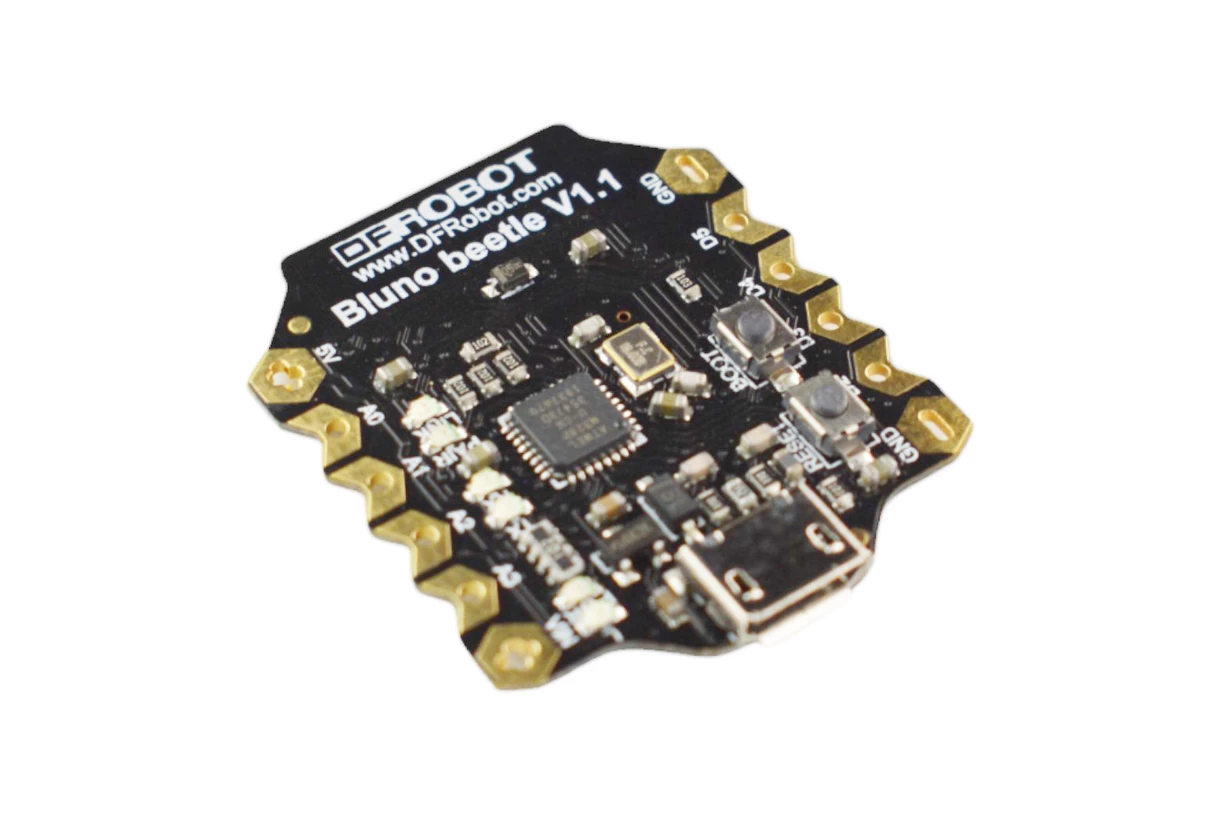
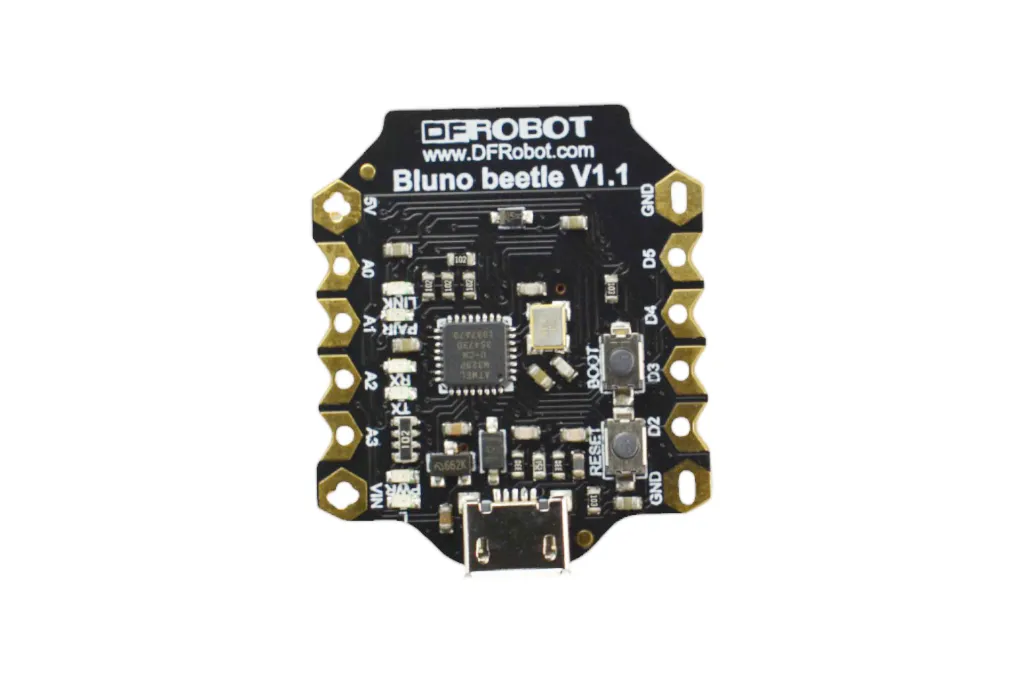
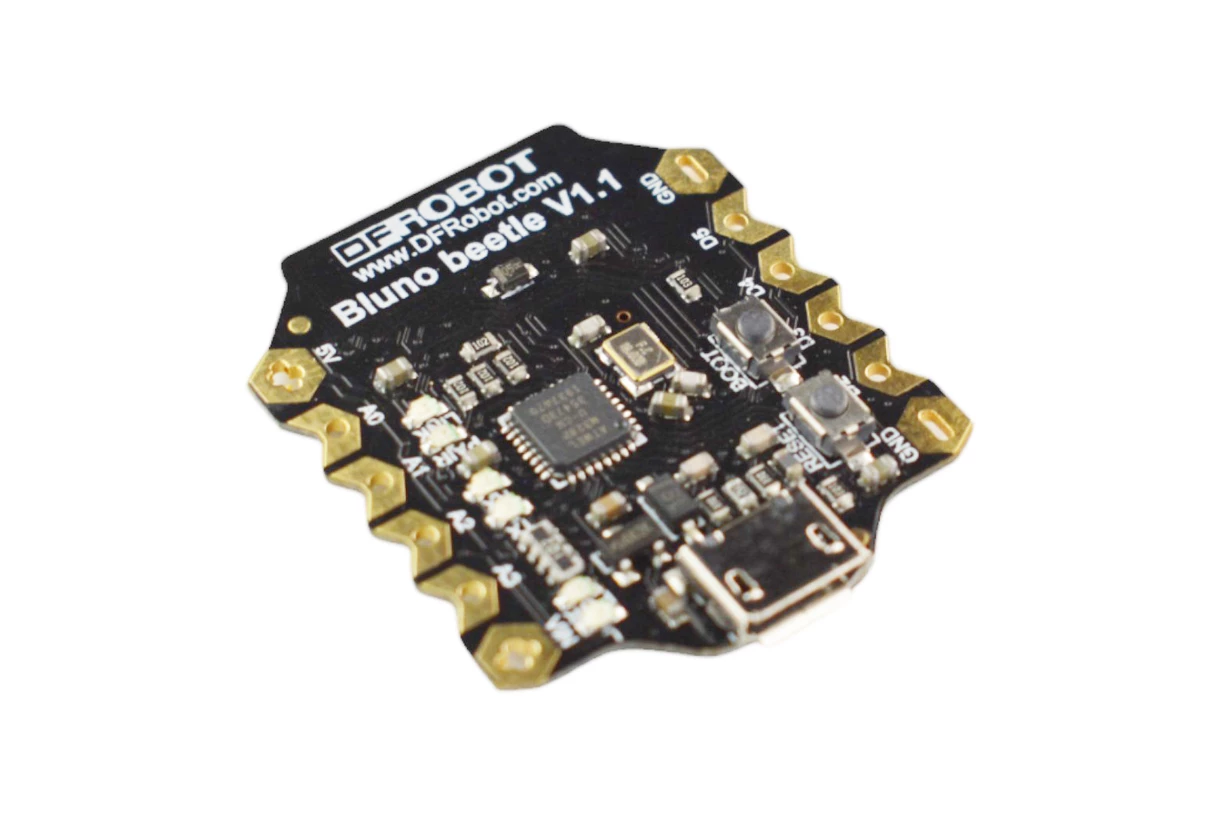
One of the key design features of the Bluno Beetle is its V shaped gold plated I O pads which make it easy to connect wires or conductive thread. This design allows the board to be directly integrated into wearable electronics such as smart clothing and textile based circuits. Despite its small size, the board provides digital pins, analog inputs, PWM outputs, UART communication, and I2C connectivity, making it suitable for a wide range of embedded projects.
Features
- Bluetooth Low Energy BT 4.0 connectivity
- Ultra compact Arduino compatible design
- Supports Bluetooth HID and iBeacon modes
- Wireless programming via BLE
- USB programming through Micro USB port
- Compatible with the DFRobot Bluno series
- Fully compatible with Arduino development environment
- V shaped gold plated IO pads for easy wiring or sewing with conductive thread
- Ideal for wearable electronics and IoT projects
- Supports quick prototyping and educational applications
Specifications
- Microcontroller: ATmega328
- Bluetooth Chip: CC2540
- Clock Frequency: 16 MHz
- Operating Voltage: 5V DC
- Input Voltage: Less than 8V through Vin
- Bluetooth Sensitivity: -93 dBm
- Maximum Communication Distance: Up to 50 meters in open space
- Working Temperature: -10 C to 85 C
- Board Size: 28.8 mm x 33.1 mm
- Weight: 10 g
Pin Configuration


| Silkscreen | Digital Pin | PWM | Analog | UART | I2C |
|---|---|---|---|---|---|
| RX | 0 | Serial RX | |||
| TX | 1 | Serial TX | |||
| D2 | 2 | ||||
| D3 | 3 | Yes | |||
| D4 | 4 | ||||
| D5 | 5 | Yes | |||
| A0 | A0 | A0 | |||
| A1 | A1 | A1 | |||
| A2 | A2 | A2 | |||
| A3 | A3 | A3 | |||
| SDA | A4 | SDA | |||
| SCL | A5 | SCL |
Interfaces
- Digital IO Pins: 10
- Analog Input Pins: 4
- PWM Outputs: 2
- UART Serial Interface: 1
- I2C Interface: 1
- Micro USB Interface: 1
- Power Ports: 2
Applications
- Wearable electronics
- Wireless keyboards and controllers
- IoT devices
- Health monitoring systems
- Embedded system projects
- Industrial automation
- Student learning projects
- Smart home prototypes
Example Arduino Code
void setup() {
 pinMode(LED_BUILTIN, OUTPUT);
}
void loop() {
 digitalWrite(LED_BUILTIN, HIGH);
 delay(1000);
 digitalWrite(LED_BUILTIN, LOW);
 delay(1000);
}
Programming the Board
- Connect the Bluno Beetle board to the computer using a Micro USB cable.
- Open the Arduino IDE.
- Go to Tools then Board then select DFRobot AVR Boards and choose DFRobot Beetle BLE.
- Go to Tools then Port and select the COM port of the board.
- Upload your program using the Upload button.
Libraries
- No additional library is required for basic Arduino functions.
- Bluetooth communication uses the built in serial interface.
Resources
One of the key design features of the Bluno Beetle is its V shaped gold plated I O pads which make it easy to connect wires or conductive thread. This design allows the board to be directly integrated into wearable electronics such as smart clothing and textile based circuits. Despite its small size, the board provides digital pins, analog inputs, PWM outputs, UART communication, and I2C connectivity, making it suitable for a wide range of embedded projects.
Features
- Bluetooth Low Energy BT 4.0 connectivity
- Ultra compact Arduino compatible design
- Supports Bluetooth HID and iBeacon modes
- Wireless programming via BLE
- USB programming through Micro USB port
- Compatible with the DFRobot Bluno series
- Fully compatible with Arduino development environment
- V shaped gold plated IO pads for easy wiring or sewing with conductive thread
- Ideal for wearable electronics and IoT projects
- Supports quick prototyping and educational applications
Specifications
- Microcontroller: ATmega328
- Bluetooth Chip: CC2540
- Clock Frequency: 16 MHz
- Operating Voltage: 5V DC
- Input Voltage: Less than 8V through Vin
- Bluetooth Sensitivity: -93 dBm
- Maximum Communication Distance: Up to 50 meters in open space
- Working Temperature: -10 C to 85 C
- Board Size: 28.8 mm x 33.1 mm
- Weight: 10 g
Pin Configuration
| Silkscreen | Digital Pin | PWM | Analog | UART | I2C |
|---|---|---|---|---|---|
| RX | 0 | Serial RX | |||
| TX | 1 | Serial TX | |||
| D2 | 2 | ||||
| D3 | 3 | Yes | |||
| D4 | 4 | ||||
| D5 | 5 | Yes | |||
| A0 | A0 | A0 | |||
| A1 | A1 | A1 | |||
| A2 | A2 | A2 | |||
| A3 | A3 | A3 | |||
| SDA | A4 | SDA | |||
| SCL | A5 | SCL |
Interfaces
- Digital IO Pins: 10
- Analog Input Pins: 4
- PWM Outputs: 2
- UART Serial Interface: 1
- I2C Interface: 1
- Micro USB Interface: 1
- Power Ports: 2
Applications
- Wearable electronics
- Wireless keyboards and controllers
- IoT devices
- Health monitoring systems
- Embedded system projects
- Industrial automation
- Student learning projects
- Smart home prototypes
Example Arduino Code
void setup() {
 pinMode(LED_BUILTIN, OUTPUT);
}
void loop() {
 digitalWrite(LED_BUILTIN, HIGH);
 delay(1000);
 digitalWrite(LED_BUILTIN, LOW);
 delay(1000);
}
Programming the Board
- Connect the Bluno Beetle board to the computer using a Micro USB cable.
- Open the Arduino IDE.
- Go to Tools then Board then select DFRobot AVR Boards and choose DFRobot Beetle BLE.
- Go to Tools then Port and select the COM port of the board.
- Upload your program using the Upload button.
Libraries
- No additional library is required for basic Arduino functions.
- Bluetooth communication uses the built in serial interface.