- All products
- Development Boards
- Special Boards
- WiFi Air602 Development Board
- Special Boards
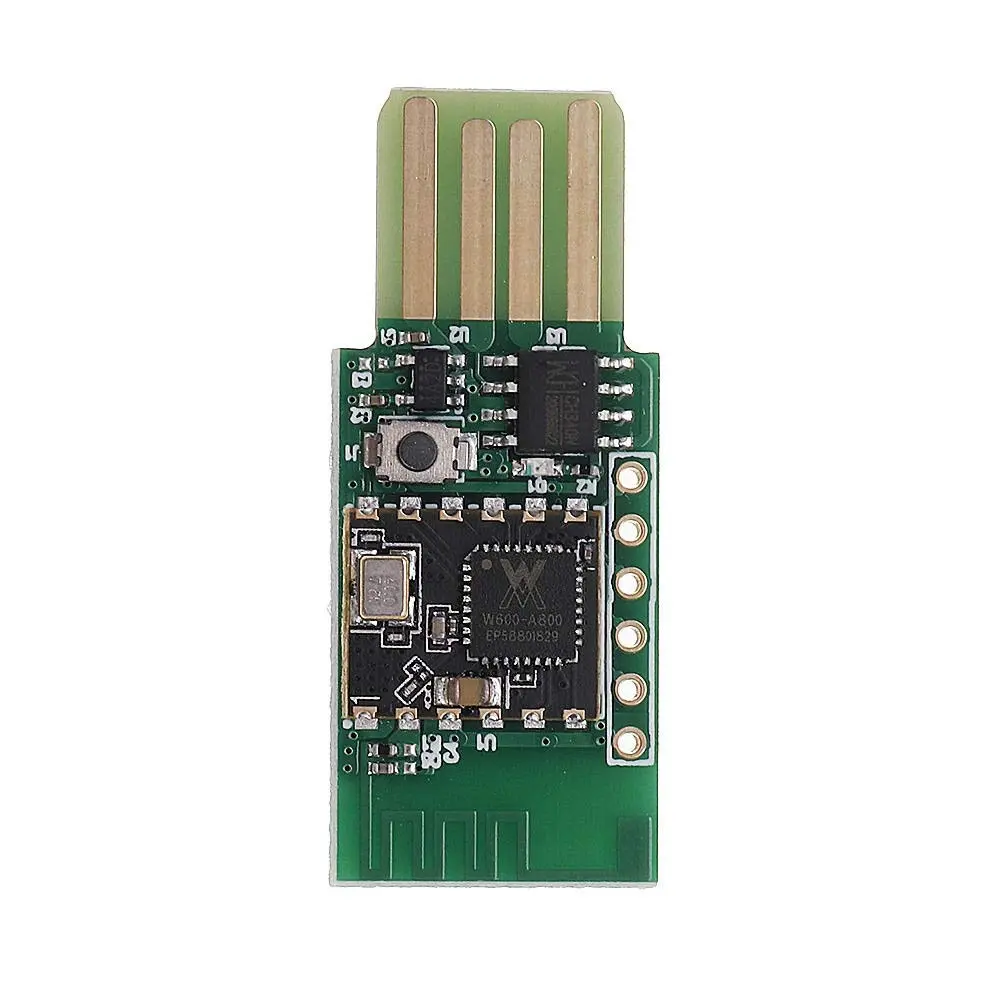
Features
- Based on Air602 low cost low power WiFi module
- Integrated USB interface and onboard antenna
- Recognized as Ports COM and LPT when connected to PC
- Supports IEEE802.11b g n WiFi standards
- Supports AT command control
- Supports TCP UDP ICMP DHCP DNS HTTP protocols
- Supports STA AP AP plus STA and WiFi Direct modes
- Supports WEP WPA WPA2 and WPS security
- UART SPI and GPIO interfaces
- Small size suitable for embedded applications
Principle of Operation
The Air602 module works by connecting to a WiFi network using a configured SSID and password. After power up the module scans for available networks and establishes a connection. Once connected it can transmit and receive data using supported network protocols.
The module can be controlled using AT commands through its UART interface. This allows easy integration with microcontrollers such as Arduino. Libraries and serial commands can be used to manage WiFi connections and data communication.
Arduino Compatibility
The Air602 module can be connected to an Arduino board using UART communication. AT commands are sent from the Arduino to control WiFi connections and data transfer. This makes it suitable for IoT projects wireless sensors and smart devices.
Applications
- Smart home systems such as lighting and security
- Wireless audio and video streaming devices
- Medical monitoring and data transmission devices
- Industrial wireless control systems
- Internet of Things devices
- Educational and learning projects
Programming Methods
- Serial terminal tools such as PuTTY or TeraTerm
- AT command software such as CoolTerm RealTerm or Hercules
- Air602 Studio IDE using C language
Getting Started with Air602 Studio
- Download and install Air602 Studio from the manufacturer website
- Connect the module using USB or USB to TTL converter
- Open Air602 Studio
- Create a new project and select Air602 board
- Write code or use AT commands
- Compile and upload the code
- Test WiFi connection and functionality
Technical Specifications
- Frequency range 2.4 to 2.4835 GHz
- Physical data rate up to 150 Mbps
- Output power up to 17 dBm
- UART speed up to 2 Mbps
- SPI speed up to 50 Mbps
- Operating voltage 3.3V module 5V board
- Operating temperature minus 40 to plus 85 Celsius
- Storage temperature minus 40 to plus 125 Celsius
- Module size 12 mm x 10 mm
Comparison with ESP8266
The Air602 and ESP8266 are both WiFi modules for IoT applications. The ESP8266 offers higher processing power while the Air602 provides an integrated USB interface and smaller size. The choice depends on project requirements such as performance size and development environment.
Features
- Based on Air602 low cost low power WiFi module
- Integrated USB interface and onboard antenna
- Recognized as Ports COM and LPT when connected to PC
- Supports IEEE802.11b g n WiFi standards
- Supports AT command control
- Supports TCP UDP ICMP DHCP DNS HTTP protocols
- Supports STA AP AP plus STA and WiFi Direct modes
- Supports WEP WPA WPA2 and WPS security
- UART SPI and GPIO interfaces
- Small size suitable for embedded applications
Principle of Operation
The Air602 module works by connecting to a WiFi network using a configured SSID and password. After power up the module scans for available networks and establishes a connection. Once connected it can transmit and receive data using supported network protocols.
The module can be controlled using AT commands through its UART interface. This allows easy integration with microcontrollers such as Arduino. Libraries and serial commands can be used to manage WiFi connections and data communication.
Arduino Compatibility
The Air602 module can be connected to an Arduino board using UART communication. AT commands are sent from the Arduino to control WiFi connections and data transfer. This makes it suitable for IoT projects wireless sensors and smart devices.
Applications
- Smart home systems such as lighting and security
- Wireless audio and video streaming devices
- Medical monitoring and data transmission devices
- Industrial wireless control systems
- Internet of Things devices
- Educational and learning projects
Programming Methods
- Serial terminal tools such as PuTTY or TeraTerm
- AT command software such as CoolTerm RealTerm or Hercules
- Air602 Studio IDE using C language
Getting Started with Air602 Studio
- Download and install Air602 Studio from the manufacturer website
- Connect the module using USB or USB to TTL converter
- Open Air602 Studio
- Create a new project and select Air602 board
- Write code or use AT commands
- Compile and upload the code
- Test WiFi connection and functionality
Technical Specifications
- Frequency range 2.4 to 2.4835 GHz
- Physical data rate up to 150 Mbps
- Output power up to 17 dBm
- UART speed up to 2 Mbps
- SPI speed up to 50 Mbps
- Operating voltage 3.3V module 5V board
- Operating temperature minus 40 to plus 85 Celsius
- Storage temperature minus 40 to plus 125 Celsius
- Module size 12 mm x 10 mm
Comparison with ESP8266
The Air602 and ESP8266 are both WiFi modules for IoT applications. The ESP8266 offers higher processing power while the Air602 provides an integrated USB interface and smaller size. The choice depends on project requirements such as performance size and development environment.