Features
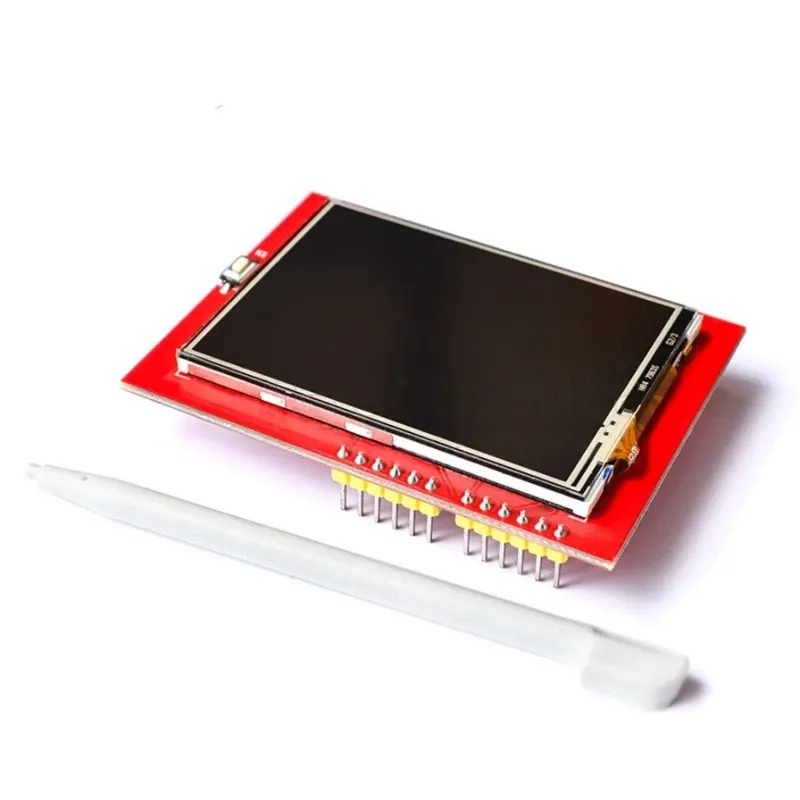
- 2.4-inch TFT LCD with 240 × 320 pixel resolution.
- Driven by the ILI9341 TFT display controller.
- Integrated 4-wire resistive touch screen.
- Supports 262K (18-bit) RGB colors.
- Four high-brightness white LED backlight.
- Parallel 8-bit data interface for fast screen updates.
- Direct plug-in shield for Arduino UNO R3.
- Compatible with both 3.3V and 5V logic levels.
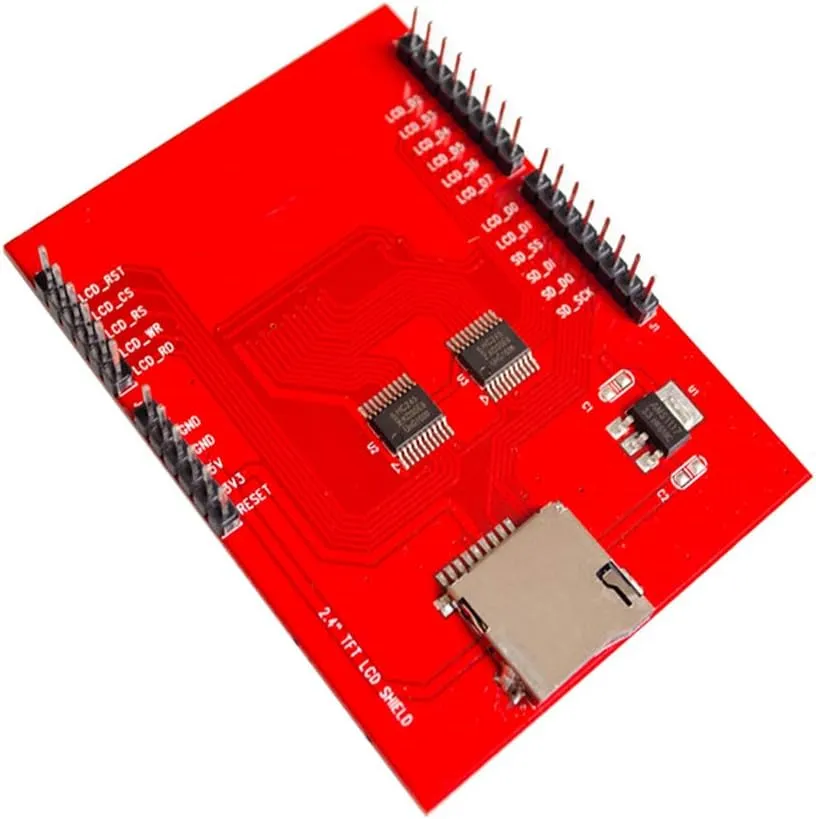
- Integrated MicroSD card slot for image and data storage.
- Suitable for menus, touch interfaces, and embedded GUIs.
Principle of Operation
The display communicates with the Arduino through an 8-bit parallel interface, allowing faster graphics performance compared to serial displays. Commands and pixel data are processed by the onboard ILI9341 controller, which refreshes the TFT LCD with 262K-color graphics.
The integrated resistive touch panel detects the touch position by measuring resistance changes along the X and Y axes. The Arduino reads these analog values to determine the touch coordinates. If used, the onboard MicroSD card provides additional storage for images, icons, fonts, and application data.
Pinout
The shield plugs directly onto the Arduino UNO R3 and uses the following pins.

| Arduino Pin | Function |
|---|---|
| D5 – D13 | 8-bit TFT data bus and display control signals |
| A0 – A3 | Touch screen interface and display control |
| D12 | Available for general-purpose I/O when the MicroSD card is not used |
| A4, A5 | Available for I²C communication |
| 5V | Power supply |
| 3.3V | Logic reference |
| GND | Ground |
Wiring
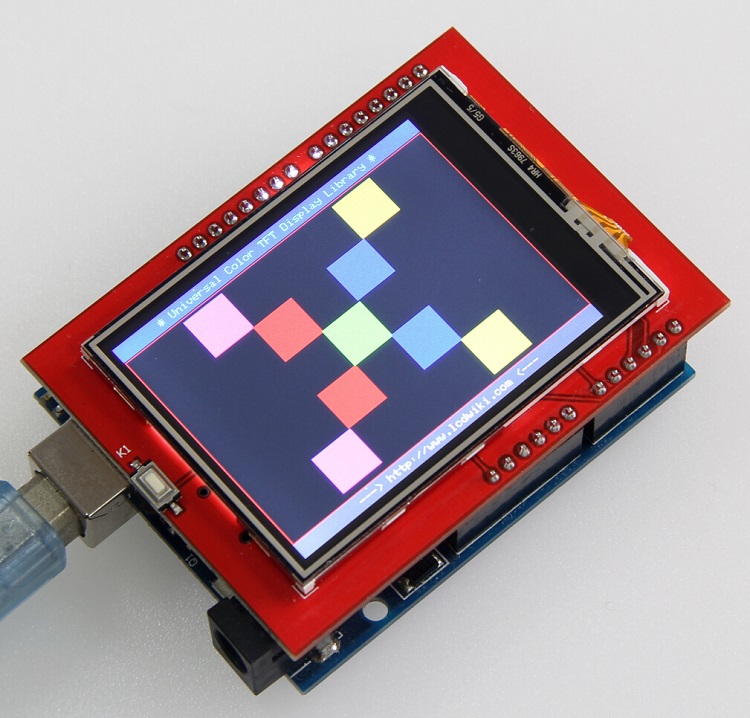
No external wiring is required. Simply align the shield with the Arduino UNO R3 headers and press it firmly into place. The display, touch panel, and MicroSD slot are automatically connected through the Arduino headers.
Applications
- Arduino graphical user interfaces.
- Industrial control panels.
- Touch-based menu systems.
- Home automation displays.
- IoT monitoring dashboards.
- Portable measuring instruments.
- Educational electronics projects.
- Data logging with MicroSD storage.
Specifications
| Parameter | Value |
|---|---|
| Display Size | 2.4 Inch |
| Resolution | 240 × 320 pixels (QVGA) |
| Display Type | TFT LCD |
| Driver IC | ILI9341 |
| Touch Panel | 4-wire Resistive Touch Screen |
| Color Depth | 18-bit (262,144 Colors) |
| Display Interface | 8-bit Parallel |
| Backlight | 4 White LEDs |
| Operating Voltage | 3.3V / 5V Logic Compatible |
| MicroSD Card Slot | Supported |
| Compatible Board | Arduino UNO R3 |
Resources
- ILI9341 Display Controller Datasheet
- MCUFRIEND_kbv Arduino Library
- Adafruit GFX Graphics Library
- Arduino SD Library Documentation
Features
- 2.4-inch TFT LCD with 240 × 320 pixel resolution.
- Driven by the ILI9341 TFT display controller.
- Integrated 4-wire resistive touch screen.
- Supports 262K (18-bit) RGB colors.
- Four high-brightness white LED backlight.
- Parallel 8-bit data interface for fast screen updates.
- Direct plug-in shield for Arduino UNO R3.
- Compatible with both 3.3V and 5V logic levels.
- Integrated MicroSD card slot for image and data storage.
- Suitable for menus, touch interfaces, and embedded GUIs.
Principle of Operation
The display communicates with the Arduino through an 8-bit parallel interface, allowing faster graphics performance compared to serial displays. Commands and pixel data are processed by the onboard ILI9341 controller, which refreshes the TFT LCD with 262K-color graphics.
The integrated resistive touch panel detects the touch position by measuring resistance changes along the X and Y axes. The Arduino reads these analog values to determine the touch coordinates. If used, the onboard MicroSD card provides additional storage for images, icons, fonts, and application data.
Pinout
The shield plugs directly onto the Arduino UNO R3 and uses the following pins.
| Arduino Pin | Function |
|---|---|
| D5 – D13 | 8-bit TFT data bus and display control signals |
| A0 – A3 | Touch screen interface and display control |
| D12 | Available for general-purpose I/O when the MicroSD card is not used |
| A4, A5 | Available for I²C communication |
| 5V | Power supply |
| 3.3V | Logic reference |
| GND | Ground |
Wiring
No external wiring is required. Simply align the shield with the Arduino UNO R3 headers and press it firmly into place. The display, touch panel, and MicroSD slot are automatically connected through the Arduino headers.
Applications
- Arduino graphical user interfaces.
- Industrial control panels.
- Touch-based menu systems.
- Home automation displays.
- IoT monitoring dashboards.
- Portable measuring instruments.
- Educational electronics projects.
- Data logging with MicroSD storage.
Specifications
| Parameter | Value |
|---|---|
| Display Size | 2.4 Inch |
| Resolution | 240 × 320 pixels (QVGA) |
| Display Type | TFT LCD |
| Driver IC | ILI9341 |
| Touch Panel | 4-wire Resistive Touch Screen |
| Color Depth | 18-bit (262,144 Colors) |
| Display Interface | 8-bit Parallel |
| Backlight | 4 White LEDs |
| Operating Voltage | 3.3V / 5V Logic Compatible |
| MicroSD Card Slot | Supported |
| Compatible Board | Arduino UNO R3 |