Features
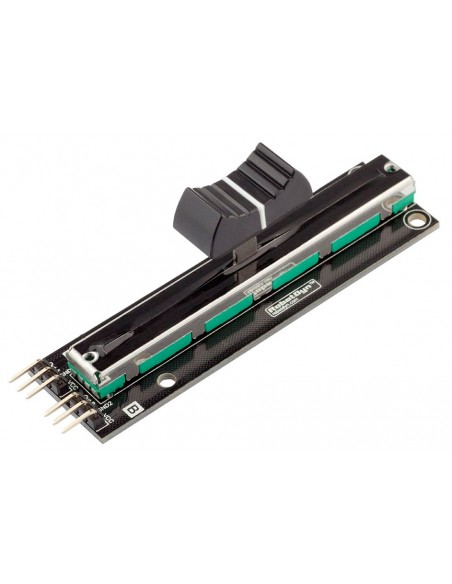
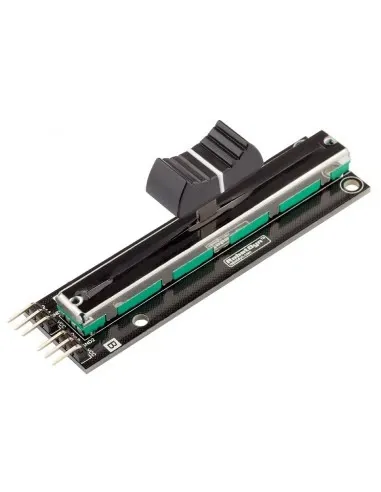
- 10KΩ linear potentiometer
- Smooth sliding action
- Provides variable analog voltage output
- Compatible with Arduino and other microcontrollers
- Simple 3-pin interface (VCC, GND, Signal)
Technical Specifications
- Resistance Value: 10KΩ
- Output Type: Analog voltage
- Operating Voltage: 3.3V – 5V
- Control Type: Linear slide
- Interface Pins: VCC, GND, OUT
Working Principle
A slide potentiometer works as a voltage divider. When voltage is applied across VCC and GND, the sliding contact (wiper) outputs a fraction of that voltage depending on its position.
When connected to an analog input, the microcontroller reads a value typically between 0 and 1023 (for 10-bit ADC on Arduino), corresponding to the slider position.
Pinout
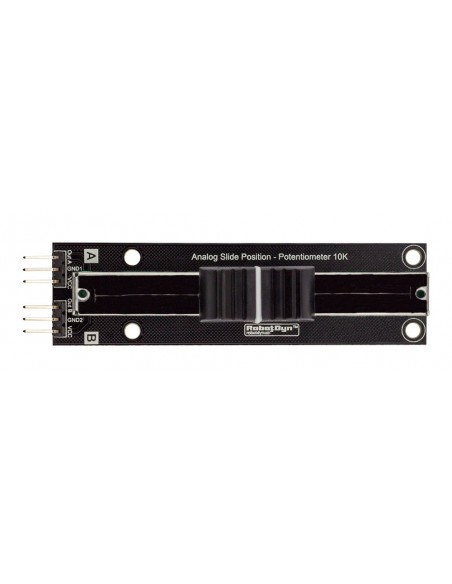
| Pin | Description |
|---|---|
| VCC | Power Supply (3.3V–5V) |
| GND | Ground |
| OUT | Analog Output Signal |
Applications
- Calibration adjustment
- Motor speed control
- LED brightness control
- Audio level adjustment
- User input interface
Arduino Connection Example
- VCC → 5V
- GND → GND
- OUT → A0
Arduino Example Code
int potPin = A0;
int potValue = 0;

void setup() {
  Serial.begin(9600);
}

void loop() {
  potValue = analogRead(potPin);
  Serial.print("Potentiometer Value: ");
  Serial.println(potValue);
  delay(200);
}
Library
No external library is required. The module uses the built-in analogRead() function.
Features
- 10KΩ linear potentiometer
- Smooth sliding action
- Provides variable analog voltage output
- Compatible with Arduino and other microcontrollers
- Simple 3-pin interface (VCC, GND, Signal)
Technical Specifications
- Resistance Value: 10KΩ
- Output Type: Analog voltage
- Operating Voltage: 3.3V – 5V
- Control Type: Linear slide
- Interface Pins: VCC, GND, OUT
Working Principle
A slide potentiometer works as a voltage divider. When voltage is applied across VCC and GND, the sliding contact (wiper) outputs a fraction of that voltage depending on its position.
When connected to an analog input, the microcontroller reads a value typically between 0 and 1023 (for 10-bit ADC on Arduino), corresponding to the slider position.
Pinout
| Pin | Description |
|---|---|
| VCC | Power Supply (3.3V–5V) |
| GND | Ground |
| OUT | Analog Output Signal |
Applications
- Calibration adjustment
- Motor speed control
- LED brightness control
- Audio level adjustment
- User input interface
Arduino Connection Example
- VCC → 5V
- GND → GND
- OUT → A0
Arduino Example Code
int potPin = A0;
int potValue = 0;

void setup() {
  Serial.begin(9600);
}

void loop() {
  potValue = analogRead(potPin);
  Serial.print("Potentiometer Value: ");
  Serial.println(potValue);
  delay(200);
}
Library
No external library is required. The module uses the built-in analogRead() function.